# Ruby Programming Language
> Ruby is a dynamic, open source programming language with a focus on simplicity and productivity. It has an elegant syntax that is natural to read and easy to write. The current stable version is Ruby 4.0.7.
---
# About Ruby
Source: https://www.ruby-lang.org/en/about.md
Wondering why Ruby is so popular? Its fans call it a beautiful, artful
language. And yet, they say it’s handy and practical. What gives?
{: .summary}
### The Ideals of Ruby’s Creator
Ruby is a language of careful balance. Its creator, [Yukihiro “Matz”
Matsumoto][matz], blended parts of his favorite languages (Perl, Smalltalk,
Eiffel, Ada, and Lisp) to form a new language that balanced functional
programming with imperative programming.
He has often said that he is “trying to make Ruby natural, not simple,”
in a way that mirrors life.
Building on this, he adds:
> Ruby is simple in appearance, but is very complex inside, just like
> our human body[1](#fn1).
### About Ruby’s Growth
Since its public release in 1995, Ruby has drawn devoted coders
worldwide. In 2006, Ruby achieved mass acceptance. With active user
groups formed in the world’s major cities and Ruby-related conferences
filled to capacity.
Ruby-Talk, the primary [mailing list](/en/community/mailing-lists/) for
discussion of the Ruby language, climbed to an average of 200 messages
per day in 2006. It has dropped in recent years as the size of the
community pushed discussion from one central list into many smaller
groups.
Ruby is ranked among the top 10 on most of the indices that measure
the growth and popularity of programming languages worldwide
(such as the [TIOBE index][tiobe]). Much of the growth is attributed to the
popularity of software written in Ruby, particularly the
[Ruby on Rails][ror] web framework.
Ruby is also [completely free](/en/about/license.txt). Not only free of charge, but
also free to use, copy, modify, and distribute.
### Seeing Everything as an Object
Initially, Matz looked at other languages to find an ideal syntax.
Recalling his search, he said, “I wanted a scripting language that was
more powerful than Perl, and more object-oriented than
Python[2](#fn2).”
In Ruby, everything is an object. Every bit of information and code can
be given their own properties and actions. Object-oriented programming
calls properties by the name *instance variables* and actions are known
as *methods*. Ruby’s pure object-oriented approach is most commonly
demonstrated by a bit of code which applies an action to a number.
In many languages, numbers and other primitive types are not objects.
Ruby follows the influence of the Smalltalk language by giving methods
and instance variables to all of its types. This eases one’s use of
Ruby, since rules applying to objects apply to all of Ruby.
### Ruby’s Flexibility
Ruby is seen as a flexible language, since it allows its users to freely
alter its parts. Essential parts of Ruby can be removed or redefined, at
will. Existing parts can be added upon. Ruby tries not to restrict the
coder.
For example, addition is performed with the plus (`+`) operator. But, if
you’d rather use the readable word `plus`, you could add such a method
to Ruby’s builtin `Numeric` class.
classNumericdefplus(x)self.+(x)endendy=5.plus6# y is now equal to 11
Ruby’s operators are syntactic sugar for methods. You can redefine them
as well.
### Blocks: a Truly Expressive Feature
Ruby’s block are also seen as a source of great flexibility. A
programmer can attach a closure to any method, describing how that
method should act. The closure is called a *block* and has become one of
the most popular features for newcomers to Ruby from other imperative
languages like PHP or Visual Basic.
Blocks are inspired by functional languages. Matz said, “in Ruby
closures, I wanted to respect the Lisp culture[3](#fn3).”
In the above code, the block is described inside the `do ... end`
construct. The `map` method applies the block to the provided list of
words. Many other methods in Ruby leave a hole open for a coder to write
their own block to fill in the details of what that method should do.
### Ruby and the Mixin
Unlike many object-oriented languages, Ruby features single inheritance
only, **on purpose**. But Ruby knows the concept of modules (called
Categories in Objective-C). Modules are collections of methods.
Classes can mixin a module and receive all its methods for free. For
example, any class which implements the `each` method can mixin the
`Enumerable` module, which adds a pile of methods that use `each` for
looping.
[logo]: /en/about/logo/
[webmaster]: mailto:webmaster@ruby-lang.org
[jekyll]: http://www.jekyllrb.com/
[akatsuka]: https://x.com/ken_c_lo
[matz]: https://x.com/yukihiro_matz
[jzimdars]: https://twitter.com/jasonzimdars
[github-repo]: https://github.com/ruby/www.ruby-lang.org/
[github-issues]: https://github.com/ruby/www.ruby-lang.org/issues
[github-wiki]: https://github.com/ruby/www.ruby-lang.org/wiki
---
# Community
Source: https://www.ruby-lang.org/en/community.md
The community that grows up around a programming language is one of its
most important strengths. Ruby has a vibrant and growing community that
is friendly towards people of all skill levels.
{: .summary}
If you are interested in getting involved, here are a couple of places
to start:
[Ruby User Groups](user-groups/)
: Your local Ruby user group is a great place to network with other Ruby
programmers. Ruby user groups are self-organizing and typically
feature monthly meetings, a mailing list, a Web site, and if you are
lucky, frequent codefests.
[Ruby Mailing Lists and Newsgroups](mailing-lists/)
: Ruby has an assortment of lists on different topics and in several
languages. If you have questions about Ruby, asking them on a mailing
list is a great way to get answers.
[Ruby Discord Server (invite link)][ruby-discord]
: The Ruby Language Discord Server is a place where you can
chat with other Rubyists, get help with Ruby questions, or help others.
Discord is a good entry point for new developers and it is easy to join.
[Ruby on IRC (#ruby)](https://web.libera.chat/#ruby)
: The Ruby Language IRC Channel is a wonderful way to chat with fellow
Rubyists.
[Ruby Core](ruby-core/)
: Now is a fantastic time to follow Ruby’s development.
If you are interested in helping with Ruby, start here.
[Ruby Blogs and Newsletters](weblogs/)
: Most activities and updates in the Ruby community are discussed through blogs and newsletters. Here’s a curated list to help you stay connected and informed.
[Ruby Conferences](conferences/)
: Ruby programmers around the world are getting involved in more and
more conferences, where they get together to share reports on
work-in-progress, discuss the future of Ruby, and welcome newcomers to
the Ruby community.
Additionally, you can visit [RubyEvents.org](https://www.rubyevents.org/) to find videos of Ruby conferences and talks.
[Podcasts](podcasts/)
: If you prefer to listen to discussions about Ruby rather than read,
you can tune into one of these awesome Ruby podcasts. These Rubyists
use their podcasts to cover new releases, community news, and
interview their fellow Ruby developers.
[Ruby Central][ruby-central]
: Ruby Central is a non-profit organization dedicated to supporting the worldwide Ruby community.
[ruby-central]: http://rubycentral.org/
[ruby-discord]: https://discord.gg/ad2acQFtkh
---
# Ruby Conferences
Source: https://www.ruby-lang.org/en/community/conferences.md
Ruby programmers around the world are getting involved in more and more
conferences, where they get together to share reports on
work-in-progress, discuss the future of Ruby, and welcome newcomers to
the Ruby community.
[RubyEvents.org][rc] is a simple list of Ruby-specific conferences,
published collaboratively with the Ruby community. There you will find
event dates, location, CFP (Call For Proposals) and Registration information.
### Major Ruby Conferences
[RubyConf][1]
: Every year since 2001, [Ruby Central, Inc.][2] has produced RubyConf,
the International Ruby conference. RubyConf has provided a forum for presentations
about Ruby technologies by their creators
[RubyKaigi][3]
: The first Japanese Ruby conference, RubyKaigi 2006, took place in
Odaiba. RubyKaigi provides many new and exciting talks by Matz and
other Rubyists in every year.
[EuRuKo (European Ruby Conference)][4]
: The first annual European Ruby Conference (EuRuKo) was held in
Karlsruhe, Germany, in 2003. Organized by a team of German Rubyists
including Armin Roehrl and Michael Neumann, EuRuKo emerged as the
second annual Ruby event, starting two years after RubyConf.
### Regional Ruby Conferences
An updated list of Regional Ruby Conferences is available at [RubyEvents.org][rc].
You can also find the GitHub repository link there to add or update information yourself.
[rc]: https://www.rubyevents.org/
[1]: http://rubyconf.org/
[2]: http://rubycentral.org/
[3]: http://rubykaigi.org/
[4]: http://euruko.org
---
# Mailing Lists
Source: https://www.ruby-lang.org/en/community/mailing-lists.md
Mailing-lists are a great way to keep your finger on the pulse of the
Ruby community.
{: .summary}
Ruby has four primary English speaking mailing lists:
Ruby-Talk
: This is the most popular mailing-list and deals with general topics
about Ruby. ([Archives][3], [Posting Guidelines][guidelines], [Community Archive][rubytalk])
Ruby-Core
: This list deals with core and implementation topics about Ruby, often
used to run patches for review. ([Archives][4])
Ruby-Doc
: This list is for discussing documentation standards and tools for
Ruby. ([Archives][5])
Ruby-CVS
: This list reports all commits to Ruby’s Subversion repository.
The comp.lang.ruby Newsgroup
: Those who prefer Usenet over mailing lists will want to checkout the
[comp.lang.ruby](news:comp.lang.ruby) newsgroup. ([FAQ][clrFAQ])
## Subscribe or Unsubscribe
See [https://ml.ruby-lang.org/mailman3/lists/](https://ml.ruby-lang.org/mailman3/lists/)
for more information about all mailing lists on ruby-lang.org,
including the lists in Japanese language.
[guidelines]: ruby-talk-guidelines/
[clrFAQ]: http://rubyhacker.com/clrFAQ.html
[3]: https://ml.ruby-lang.org/archives/list/ruby-talk@ml.ruby-lang.org/
[4]: https://ml.ruby-lang.org/archives/list/ruby-core@ml.ruby-lang.org
[5]: https://ml.ruby-lang.org/archives/list/ruby-doc@ml.ruby-lang.org/
[rubytalk]: https://rubytalk.org/
---
# Posting Guidelines for the Ruby-Talk Mailing List
Source: https://www.ruby-lang.org/en/community/mailing-lists/ruby-talk-guidelines.md
You should follow these guidelines when posting to the ruby-talk mailing list.
{: .summary}
1. **Always** be friendly, considerate, tactful, and tasteful. We want to
keep this list hospitable to the growing ranks of newbies, very
young people, and their teachers, as well as cater to fire breathing
wizards. :-)
2. Keep your content relevant and easy to follow. Try to keep your
content brief and to the point, but also try to include all relevant
information.
1. The general format guidelines (aka Netiquette) are
matters of common sense and common courtesy that make life
easier for third parties to follow along (in real time or when
perusing archives):
* **Please note:**
Include quoted text from previous posts **before** your responses
and **selectively** quote as much as is relevant.
* Use **plain text**; don't use HTML, RTF, or Word.
Most email programs have an option for this; if yours doesn't,
get a (free) program or use a web-based service that does.
* Include examples from files as **in-line** text; don't use
attachments.
2. If reporting a problem, give **all** the relevant information
the first time; this isn't the psychic friends newsgroup. :-)
When appropriate, include:
* an example (preferably simple) that produces the problem
* the actual error messages
* the version of Ruby (`ruby -v`)
* the OS type and version (`uname -a`)
* the compiler name and version used to build Ruby
3. Make the subject line maximally informative, so that people who
should be interested will read your post and so that people who
wouldn't be interested can easily avoid it.
**Usefully** describe the contents of your post.
This is OK:
* "How can I do x with y on z?"
* "Problem: did x, expected y, got z."
* "BUG: doing x with module y crashed z."
This is **not** OK:
* "Please help!!!"
* "Newbie question"
* "Need Ruby guru to tell me what's wrong"
These prefixes have become common for subject lines:
* `[ANN]` (for announcements)
* `[BUG]` (for bug reports)
* `[OT]` (for off-topic, if you must post off-topic)
4. Finally, be considerate: Don't be too lazy. If you are seeking
information, first make a reasonable effort to look it up. As
appropriate, check the [Ruby home page][ruby-lang],
check the [Ruby FAQ][faq] and other documentation,
use a search engine to search past postings, and so on.
_These guidelines where adopted from the [comp.lang.ruby FAQ][clrFAQ]._
[ruby-lang]: /en/
[faq]: /en/documentation/faq/
[clrFAQ]: http://rubyhacker.com/clrFAQ.html
---
# Podcasts
Source: https://www.ruby-lang.org/en/community/podcasts.md
Listen to news, interviews, and discussions about Ruby and its community.
[On Rails][onrails]
: Ruby on Rails developers share real-world technical challenges,
architectural decisions, and scaling strategies. Join experienced
engineers for technical deep-dives and retrospectives on building
production Rails applications.
[Ruby Rogues][rogues]
: The Ruby Rogues podcast is a panel discussion about topics relating to
programming, careers, community, and Ruby.
[Ruby on Rails Podcast][rorpodcast]
: The Ruby on Rails Podcast, a weekly conversation about Ruby on Rails,
open source software, and the programming profession.
[Remote Ruby][remote_ruby]
: Virtual meetup turned podcast, Remote Ruby celebrates and highlights
the Ruby community in an informal setting.
[Rooftop Ruby][rooftop_ruby]
: Collin and Joel discuss Ruby, software development, open source, career,
and a lot more together and with guests.
### Getting Involved
Podcast hosts are always looking for guests. If you have some Ruby
wisdom to share, get in touch with the creators of these shows.
You can also start your own Ruby podcast and get added to this list!
[onrails]: https://podcast.rubyonrails.org/
[rooftop_ruby]: https://www.rooftopruby.com
[remote_ruby]: https://www.remoteruby.com
[rorpodcast]: https://www.therubyonrailspodcast.com
[rogues]: https://rubyrogues.com
---
# Ruby Core
Source: https://www.ruby-lang.org/en/community/ruby-core.md
Now is a fantastic time to follow Ruby’s development. With the increased
attention Ruby has received in the past few years, there’s a growing need
for good talent to help enhance Ruby and document its parts.
So, where do you start?
{: .summary}
The topics related to Ruby development covered here are:
* [Using Git to Track Ruby Development](#following-ruby)
* [Improving Ruby, Patch by Patch](#patching-ruby)
* [Note about branches](#branches-ruby)
### Using Git to Track Ruby Development
{: #following-ruby}
The current primary repository of the latest Ruby source code is
[git.ruby-lang.org/ruby.git][gitrlo].
There is also a [mirror on GitHub][7]. Usually, please use this mirror.
You can get the latest Ruby source code by using Git.
From your command line:
$ git clone https://github.com/ruby/ruby.git
The `ruby` directory will now contain the latest source code
for the development version of Ruby (ruby-trunk).
See also [Non-committer’s HOWTO to join our development][noncommitterhowto].
If you have commit access, and if you want to push something,
you should use the primary repository.
$ git clone git@git.ruby-lang.org:ruby.git
### Improving Ruby, Patch by Patch
{: #patching-ruby}
The core team maintains an [issue tracker][10] for submitting patches and
bug reports to Matz and the gang. These reports also get submitted to
the [Ruby-Core mailing list][mailing-lists] for discussion,
so you can be sure your request won’t go unnoticed. You can
also send your patches straight to the mailing list. Either way, you are
encouraged to take part in the discussion that ensues.
Please look over the [Patch Writer’s Guide][writing-patches] for some tips,
straight from Matz, on how to get your patches considered.
To summarize, the steps for building a patch are:
1. Check out a copy of the Ruby source code from GitHub.
Usually patches for bugfixes or new features should be submitted
for the trunk of Ruby’s source.
$ git clone https://github.com/ruby/ruby.git
If you are fixing a bug that is specific to only one maintenance branch,
check out a copy of the respective branch.
$ git checkout ruby_X_X
X_X should be replaced with a version that you want to check out.
2. Add your improvements to the code.
3. Create a patch.
$ git diff > ruby-changes.patch
4. Create a ticket in the [issue tracker][10] or email your patch to
the [Ruby-Core mailing list][mailing-lists] with a ChangeLog entry
describing the patch.
5. If there are no issues raised about the patch, committers will be
given the approval to apply it.
**Please note:** patches should be submitted as a [unified diff][12].
For more on how patches are merged, see [the diffutils reference][13].
Discussion of Ruby’s development converges on the
[Ruby-Core mailing list][mailing-lists]. So, if you are curious
about whether your patch is worthwhile or you want to spark a discussion
about Ruby’s future, don’t hesitate to come aboard. Be warned that
off-topic discussions are not tolerated on this list, the noise level
should be very low, topics should be pointed, well-conceived and
well-written. Since we’re addressing Ruby’s creator, let’s have some
reverence.
Keep in mind that many of Ruby’s core developers live in Japan and, while many
speak very good English, there is a significant timezone difference.
They also have an entire body of Japanese development lists happening
alongside the English counterparts. Be patient, if your claim isn’t
resolved, be persistent—give it another shot a few days later.
### Note about branches
{: #branches-ruby}
The source code of Ruby had been managed under Subversion repository until 22nd April 2019.
Thus, some branches may still be managed under Subversion.
You can view the SVN repository.
* [<URL:https://svn.ruby-lang.org/cgi-bin/viewvc.cgi?root=ruby>][svn-viewvc]
However, you don't have to care about it (unless you are a branch maintainer).
You can check out the branches in your Git working copy.
For example, run the following command.
$ git checkout ruby_X_X
X_X should be replaced with a version that you want to check out.
If you want to modify the branches, please open an issue in our [issue tracker][10].
See also the following section.
[gitrlo]: https://git.ruby-lang.org/ruby.git
[mailing-lists]: /en/community/mailing-lists/
[writing-patches]: /en/community/ruby-core/writing-patches/
[noncommitterhowto]: https://github.com/shyouhei/ruby/wiki/noncommitterhowto
[svn-viewvc]: https://svn.ruby-lang.org/cgi-bin/viewvc.cgi?root=ruby
[7]: https://github.com/ruby/ruby
[10]: https://bugs.ruby-lang.org/
[12]: http://www.gnu.org/software/diffutils/manual/html_node/Unified-Format.html
[13]: http://www.gnu.org/software/diffutils/manual/html_node/Merging-with-patch.html#Merging%20with%20patch
---
# Patch Writer’s Guide
Source: https://www.ruby-lang.org/en/community/ruby-core/writing-patches.md
Here follow some tips, straight from Matz, on how to get
your patches considered.
{: .summary}
These guidelines were adopted from a [post by Matz][ruby-core-post]
on the Ruby-Core mailing list:
* Implement one modification per patch
This is the biggest issue for most deferred patches. When you
submit a patch that fixes multiple bugs (and adds features) at once,
we have to separate them before applying it. It is a rather hard task
for us busy developers, so this kind of patches tends to be deferred.
No big patches please.
* Provide descriptions
Sometimes a mere patch does not sufficiently describe the problem it fixes.
A better description (the problem it fixes, preconditions, platform, etc.)
would help a patch to be merged earlier.
* Diff to the latest revision
Your problem might have been fixed in the latest revision. Or the code
might be totally different by now. Before submitting a patch, try to fetch
the latest version (the `trunk` branch for the latest development version,
`ruby_2_6` for 2.6)
from the Subversion repository, please.
* Use `diff -u`
We prefer `diff -u` style unified diff patches to `diff -c`
or any other style of patches. They are far easier to review.
Do not send modified files, we do not want to make a diff by ourselves.
* Provide test cases (optional)
A patch providing test cases (preferably a patch to `test/*/test_*.rb`)
would help us understand the patch and your intention.
We might move to a Git style push/pull workflow in the future.
But until then, following the above guidelines would help you to avoid
frustration.
[ruby-core-post]: https://blade.ruby-lang.org/ruby-core/25139
---
# User Groups
Source: https://www.ruby-lang.org/en/community/user-groups.md
In the programming community, user groups form support networks for
people interested in certain topics. They are a great place to increase
your skills and network with other programmers. User groups are informal
and their structure varies from group to group. Anyone can form their
own group and set their own rules and schedule
{: .summary}
### Ruby User Groups
If you want to get together with other Ruby programmers, a local user
group may be just the thing. Ruby user groups are entirely devoted to
Ruby. They typically feature monthly meetings, a mailing list, a website,
and if you're lucky, frequent hacking sessions (meetings devoted
to giving people a chance to write Ruby code).
Information about Ruby user groups can be found on various websites:
- [Ruby Meetup Groups on meetup.com][meetup]. A substantial number
of Ruby User Groups have chosen to make Meetup
their home. Meetup provides a number of tools for user groups,
including: private forums, a place for announcements, automated
meeting reminders, and a nice RSVP system.
- [RubyEvents.org][rc-meetups] now has a list of Ruby Meetup events
from around the world.
- There is a [Google Group][meetups-google-group] for Ruby Meetup Organizers
- [OnRuby][onruby] - A number of user groups can also be found at OnRuby. OnRuby is an
open source platform written in Ruby that can be used to organize
meetups. It is [available on GitHub][onruby-github].
### Organizing Your Own Group
If you are interested in forming your own group, be sure to find out if
there is already a Ruby user group in your area. Try the meetup organizers
group if you're looking for advice on how to start your own group.
[meetup]: https://www.meetup.com/topics/ruby/
[onruby]: https://www.onruby.eu/
[onruby-github]: https://github.com/phoet/on_ruby
[rc-meetups]: https://www.rubyevents.org/events
[meetups-google-group]: https://groups.google.com/g/ruby-meetups
---
# Blogs and Newsletters
Source: https://www.ruby-lang.org/en/community/weblogs.md
Ruby blogs and newsletters have exploded over the past years and given
sufficient hunting, you can unearth hundreds of blogs sharing bits of
Ruby code, describing new techniques, or speculating on Ruby’s future.
{: .summary}
### Newsletters
* [**Ruby Weekly**][ruby-weekly]: A newsletter that curates the most interesting Ruby articles and news each week.
* [**Short Ruby Newsletter**][short-ruby-newsletter]: A weekly summary of the articles, discussions, and news from the Ruby community.
### Mining for Ruby Blogs
* [**RubyFlow**][rubyflow], “the Ruby and Rails community linklog”,
is a Ruby news site with links to libraries, blog posts, tutorials,
and other Ruby resources.
* [**Rubyland**][rubyland] aggregates news and blog posts about Ruby
from RSS feeds.
### Blogs of Note
A few notable blogs stand out for the frequency and immediacy of their
updates.
* [**DEV Ruby Tag**][dev-ruby-tag] is the collection of all posts
tagged Ruby within the DEV Community. DEV is a network of thousands
of software developers who blog about and discuss code.
* [**Ruby on Rails Blog**][ruby-on-rails-blog] is the official group blog of the
Ruby on Rails team. If you are running Rails, this blog is essential
for notification of security updates and an overall view of the wide
Rails community.
* [**Rails at Scale**][rails-at-scale] contains posts discussing much
of the recent work being done to advance both Ruby and Rails.
### Spreading the Word
If you're interested in writing for any of the above blogs, you should
contact the authors.
Ruby is also a common topic on [reddit][reddit] and [Hacker News][hn],
in their respective programming news. If you find some brilliant code
out there, be sure to share!
[rubyflow]: http://www.rubyflow.com/
[rubyland]: http://rubyland.news/
[ruby-weekly]: https://rubyweekly.com/
[dev-ruby-tag]: https://dev.to/t/ruby
[ruby-on-rails-blog]: https://rubyonrails.org/blog/
[reddit]: http://www.reddit.com/r/ruby
[hn]: http://news.ycombinator.com/
[short-ruby-newsletter]: https://newsletter.shortruby.com/
[rails-at-scale]: https://railsatscale.com/
---
# The Ruby Community Conduct Guideline
Source: https://www.ruby-lang.org/en/conduct.md
We have picked the following conduct guideline based on an early proposed draft
of the PostgreSQL CoC, for Ruby developers community for safe, productive
collaboration.
Each Ruby related community (conference etc.) may pick their own Code of Conduct.
{: .summary}
This document provides community guidelines for a safe, respectful, productive,
and collaborative place for any person who is willing to contribute to the Ruby
community. It applies to all "collaborative space", which is defined as
community communications channels (such as mailing lists, submitted patches,
commit comments, etc.).
* Participants will be tolerant of opposing views.
* Participants must ensure that their language and actions are free of personal attacks and disparaging personal remarks.
* When interpreting the words and actions of others, participants should always assume good intentions.
* Behaviour which can be reasonably considered harassment will not be tolerated.
---
# Documentation
Source: https://www.ruby-lang.org/en/documentation.md
Guides, tutorials, and reference material to help you learn more about Ruby
{: .summary}
### Installing Ruby
Although you can easily [try Ruby in your browser][1], you can also read
the [installation guide](installation/) for help on installing Ruby.
### Official Ruby Documentation
[docs.ruby-lang.org/en][docs-rlo]: List of documentation for all Ruby versions released after 2.1.
[docs.ruby-lang.org/en/4.0][docs-rlo-4.0]: Documentation for Ruby 4.0.
[docs.ruby-lang.org/en/master][docs-rlo-master]: Documentation for Ruby's master branch.
[C Extension Guide][docs-rlo-extension]: In-depth guide for creating C extensions for Ruby.
### Getting Started
[Try Ruby][1]
: You can try Ruby right in your browser.
[Learn to Program][8]
: A wonderful little tutorial by Chris Pine for programming newbies. If
you don’t know how to program, start here.
[Ruby in Twenty Minutes][rubyin20]
: A small Ruby tutorial that should take no more than 20 minutes to
complete.
[The Odin Project][odin]
: An open source full stack curriculum
[Exercism][exercism]
: 120 exercises with automatic analysis and personal mentoring.
[Codecademy][codecademy]
: Online code bootcamp with a variety of topics.
### Manuals / Books
#### Beginner
[Programming Ruby 3.3][pickaxe]
: The seminal work on Ruby in English. Recently updated to Ruby 3.3.
[The Well-Grounded Rubyist][grounded]
: A tutorial that begins with your first Ruby program and takes you all the way to sophisticated topics like reflection, threading, and recursion.
#### Intermediate
[Practical OOD in Ruby (POODR)][poodr]
: A programmer's tale about how to write object-oriented code.
#### Expert
[Metaprogramming][meta]
: Explains metaprogramming in a down-to-earth style.
[Ruby Under a Microscope (RUM)][microscope]
: An illustrated guide to Ruby internals.
### Community Documentation
These documentation sites are maintained by the Ruby community.
[RubyDoc.info][16]
: The one-stop web site for reference documentation about Ruby gems and
GitHub-hosted Ruby projects.
[RubyAPI.org][rubyapi-org]
: Easily find and browse Ruby classes, modules, and methods.
[ruby-doc.org][39]
: Online API documentation
[DevDocs.io][40]
: Online API documentation
[Ruby QuickRef][42]
: The Ruby quick reference
[rubyreferences][43]
: A full language reference + detailed language changelog.
### Style Guides
[rubystyle.guide][44]
: RuboCop's Ruby style guide
[RuboCop][45]
: Automated enforcement of their style guide.
[Shopify][46]
: Shopify's Ruby style guide
[GitLab][47]
: Gitlab's Ruby style guide
[Airbnb][48]
: Airbnb's Ruby style guide
[w3resource][49]
: W3's Ruby style guide
# Tools
[IRB][50]
: The interactive Ruby Read-Eval-Print-Loop (REPL)
[Pry][51]
: An alternative Ruby REPL
[Rake][52]
: A make-like build utility for Ruby.
[RI][53]
: (Ruby Information) is the Ruby command-line utility that gives fast and easy on-line access to Ruby documentation.
[RBS][54]
: Type Signature for Ruby
[TypeProf][55]
: An experimental type-level Ruby interpreter for testing and understanding Ruby code.
[Steep][56]
: Static type checker for Ruby.
### Editors and IDEs
For coding in Ruby, you can use the default editor of your operating
system. By the way, to be more effective in coding, it is worth choosing a source code editor with basic Ruby support (e.g.
syntax-highlighting, file browsing) or an integrated development
environment with advanced features (e.g. code completion, refactoring,
testing support).
Here is a list of popular editors used by Rubyists, broken up by
learning curve:
* Days
* [Sublime Text][37] (paid)
* [Visual Studio Code][vscode]
* [Zed][zed]
* Months
* [RubyMine][27] (paid)
* "Years" (as in, you'll spend years still learning things about it)
* [Emacs][20] with [Ruby mode][21] or [Enhanced Ruby mode][enh-ruby-mode]
* [Vim][25] with [vim-ruby][26] plugin
* [NeoVim][neovim]
All of these editors support the Language Server Protocol (LSP),
either by default or through their LSP plugins. Shopify's
[ruby-lsp][ruby-lsp] is one of the most popular language servers for
Ruby and [supports all of the above editors][ruby-lsp-supported-editors].
### Older Reading / Resources
These links were more prominent but haven't been updated in ages.
[Ruby Koans][2]
: The Koans walk you along the path to enlightenment in order to learn
Ruby. The goal is to learn the Ruby language, syntax, structure, and
some common functions and libraries. We also teach you culture.
[Ruby Essentials][7]
: A free on-line book designed to provide a concise
and easy to follow guide to learning Ruby.
[Why’s (Poignant) Guide to Ruby][5]
: An unconventional but interesting book that will teach you Ruby
through stories, wit, and comics. Originally created by *why the lucky
stiff*, this guide remains a classic for Ruby learners.
[Learn Ruby the Hard Way][38]
: A very good set of exercises with explanations that guide you from
the absolute basics of Ruby all the way to OOP and web development.
[Programming Ruby][9]
: The seminal work on Ruby in English, this first edition of the
[Pragmatic Programmers’ book][10] is available for free online.
[The Ruby Programming Wikibook][12]
: A free online manual with beginner and intermediate content plus a
thorough language reference.
[1]: https://try.ruby-lang.org/
[2]: https://rubykoans.com/
[5]: https://poignant.guide
[7]: https://www.techotopia.com/index.php/Ruby_Essentials
[8]: https://pine.fm/LearnToProgram/
[9]: https://web.archive.org/web/20250512022451/https://ruby-doc.com/docs/ProgrammingRuby/
[10]: https://pragprog.com/titles/ruby5/programming-ruby-3-3-5th-edition/
[12]: https://en.wikibooks.org/wiki/Ruby_programming_language
[16]: https://www.rubydoc.info/
[20]: https://www.gnu.org/software/emacs/
[21]: https://www.emacswiki.org/emacs/RubyMode
[25]: https://www.vim.org/
[26]: https://github.com/vim-ruby/vim-ruby
[27]: https://www.jetbrains.com/ruby/
[37]: https://www.sublimetext.com/
[38]: https://learncodethehardway.org/ruby/
[39]: https://ruby-doc.org/
[40]: https://devdocs.io/ruby/
[42]: https://www.zenspider.com/ruby/quickref.html
[43]: https://rubyreferences.github.io/
[44]: https://rubystyle.guide/
[45]: https://github.com/rubocop/ruby-style-guide
[46]: https://ruby-style-guide.shopify.dev/
[47]: https://docs.gitlab.com/ee/development/backend/ruby_style_guide.html
[48]: https://github.com/airbnb/ruby
[49]: https://www.w3resource.com/ruby/ruby-style-guide.php
[50]: https://github.com/ruby/irb
[51]: https://github.com/pry/pry
[52]: https://github.com/ruby/rake
[53]: https://ruby.github.io/rdoc/RI_md.html
[54]: https://github.com/ruby/rbs
[55]: https://github.com/ruby/typeprof
[56]: https://github.com/soutaro/steep
[codecademy]: https://www.codecademy.com/learn/learn-ruby
[docs-rlo]: https://docs.ruby-lang.org/en
[docs-rlo-4.0]: https://docs.ruby-lang.org/en/4.0
[docs-rlo-master]: https://docs.ruby-lang.org/en/master
[docs-rlo-extension]: https://docs.ruby-lang.org/en/master/extension_rdoc.html
[enh-ruby-mode]: https://github.com/zenspider/enhanced-ruby-mode/
[exercism]: https://exercism.org/tracks/ruby
[grounded]: https://www.manning.com/books/the-well-grounded-rubyist-third-edition
[meta]: https://pragprog.com/titles/ppmetr2/metaprogramming-ruby-2/
[microscope]: https://patshaughnessy.net/ruby-under-a-microscope
[neovim]: https://neovim.io/
[odin]: https://www.theodinproject.com/paths/full-stack-ruby-on-rails/courses/ruby
[pickaxe]: https://pragprog.com/titles/ruby5/programming-ruby-3-3-5th-edition/
[poodr]: https://www.poodr.com/
[ruby-lsp]: https://github.com/Shopify/ruby-lsp
[ruby-lsp-supported-editors]: https://shopify.github.io/ruby-lsp/editors.html
[rubyapi-org]: https://rubyapi.org/
[rubyin20]: https://www.ruby-lang.org/en/documentation/quickstart/
[vscode]: https://code.visualstudio.com/docs/languages/ruby
[zed]: https://zed.dev/
---
# Official Ruby FAQ
Source: https://www.ruby-lang.org/en/documentation/faq.md
This document contains Frequently Asked Questions about Ruby with answers.
{: .summary}
This FAQ is based on "[The Ruby Language FAQ][original-faq]" originally
compiled by Shugo Maeda and translated into English by Kentaro Goto.
Thanks to Zachary Scott and Marcus Stollsteimer for incorporating
the FAQ into the site and for a major overhaul of the content.
The code examples in this document have been run using Ruby 2.3.
[original-faq]: http://ruby-doc.org/docs/ruby-doc-bundle/FAQ/FAQ.html
_If you wish to report errors or suggest improvements for this FAQ,
please go to our
[GitHub repository](https://github.com/ruby/www.ruby-lang.org/)
and open an issue or pull request._
## Content
* [General questions](1/)
* [How does Ruby stack up against...?](2/)
* [Installing Ruby](3/)
* [Variables, constants, and arguments](4/)
* [Iterators](5/)
* [Syntax](6/)
* [Methods](7/)
* [Classes and modules](8/)
* [Built-in libraries](9/)
* [Extension library](10/)
* [Other features](11/)
---
# Official Ruby FAQ
Source: https://www.ruby-lang.org/en/documentation/faq/1.md
_If you wish to report errors or suggest improvements for this FAQ,
please go to our
[GitHub repository](https://github.com/ruby/www.ruby-lang.org/)
and open an issue or pull request._
## General questions
### What is Ruby?
Ruby is a simple and powerful object-oriented programming language, created by
Yukihiro Matsumoto (who goes by the handle "Matz" in this document and on the
mailing lists).
Like Perl, Ruby is good at text processing. Like Smalltalk, everything in Ruby
is an object, and Ruby has blocks, iterators, meta-classes and other good
stuff.
You can use Ruby to write servers, experiment with prototypes, and for
everyday programming tasks. As a fully-integrated object-oriented language,
Ruby scales well.
Ruby features:
* Simple syntax,
* Basic OO features (classes, methods, objects, and so on),
* Special OO features (mixins, singleton methods, renaming, and so on),
* Operator overloading,
* Exception handling,
* Iterators and closures,
* Garbage collection,
* Dynamic loading (depending on the architecture),
* High transportability (runs on various Unices, Windows, DOS, macOS, OS/2,
Amiga, and so on).
### Show me some Ruby code!
Let's define a class called `Person`, with a name and an age. We'll test our
code by creating a few people and examining them.
~~~
class Person
attr_accessor :name, :age
def initialize(name, age)
@name = name
@age = age.to_i
end
def inspect
"#{name} (#{age})"
end
end
p1 = Person.new("Elmo", 4)
p2 = Person.new("Zoe", 7)
p1 # => Elmo (4)
p2 # => Zoe (7)
~~~
Now let's populate an array of people by reading their names and ages from a
file `ages` containing lines like:
~~~
Bert: 8
Cookie: 11
Elmo: 4
Ernie: 8
Zoe: 7
~~~
The code uses regular expressions to parse successive lines from the input
file, creating a new `Person` object for each match and pushing it onto the
end of the array `people`.
~~~
people = Array.new
File.foreach("ages") do |line|
people << Person.new($1, $2) if line =~ /(.*):\s+(\d+)/
end
people # => [Bert (8), Cookie (11), Elmo (4), Ernie (8), Zoe (7)]
~~~
Now, let's sort the result based on the person's age. There are many ways to
do this. We can define a sort block, which tells Ruby how to do the comparison
of two people:
~~~
sorted = people.sort {|a, b| a.age <=> b.age }
sorted # => [Elmo (4), Zoe (7), Bert (8), Ernie (8), Cookie (11)]
~~~
Another way would be to change the comparison method for class `Person`:
~~~
class Person
def <=>(other)
age <=> other.age
end
end
people.sort # => [Elmo (4), Zoe (7), Bert (8), Ernie (8), Cookie (11)]
~~~
### Why the name “Ruby”?
Influenced by Perl, Matz wanted to use a jewel name for his new language, so
he named Ruby after a colleague's birthstone.
Later, he realized that Ruby comes right after Perl in several situations.
In birthstones, pearl is June, ruby is July. When measuring font sizes,
pearl is 5pt, ruby is 5.5pt. He thought Ruby was a good name for a
programming language newer (and hopefully better) than Perl.
(Based on an explanation from Matz in [\[ruby-talk:00394\]][ruby-talk:00394]
on June 11, 1999.)
[ruby-talk:00394]: https://blade.ruby-lang.org/ruby-talk/394
### What is the history of Ruby?
The following is a summary of a posting made by Matz in
[\[ruby-talk:00382\]][ruby-talk:00382] on June 4, 1999.
(The birthday of Ruby has been corrected in
[\[ruby-list:15977\]][ruby-list:15977].)
> Well, Ruby was born on February 24, 1993. I was talking with my colleague
> about the possibility of an object-oriented scripting language. I knew Perl
> (Perl4, not Perl5), but I didn't like it really, because it had the smell of
> a toy language (it still has). The object-oriented scripting language seemed
> very promising.
> I knew Python then. But I didn't like it, because I didn't think it was a
> true object-oriented language---OO features appeared to be an add-on to the
> language. As a language manic and OO fan for 15 years, I really wanted a
> genuine object-oriented, easy-to-use scripting language. I looked for, but
> couldn't find one.
> So, I decided to make it. It took several months to make the interpreter
> run. I put into it the features I love to have in my language, such as
> iterators, exception handling, garbage collection.
> Then, I reorganized the features of Perl into a class library, and
> implemented them. I posted Ruby 0.95 to the Japanese domestic newsgroups
> in Dec. 1995.
> Since then, highly active mailing lists have been established and
> web pages formed.
[ruby-talk:00382]: https://blade.ruby-lang.org/ruby-talk/382
[ruby-list:15977]: https://blade.ruby-lang.org/ruby-list/15977
### Where is the Ruby Home Page?
The official Ruby Home Page is [www.ruby-lang.org](https://www.ruby-lang.org).
Besides the English and Japanese versions, there exist translations
into various other languages.
Good starting points for finding Ruby information are the
[Documentation](/en/documentation/) and [Community](/en/community/)
pages.
### Is there a Ruby newsgroup?
comp.lang.ruby was established in May, 2000 (thanks to the efforts of
[Conrad Schneiker](mailto:schneiker@jump.net)).
### Is there a Ruby mailing list?
There are several mailing lists talking about Ruby. See the
[Mailing Lists](/en/community/mailing-lists/)
page for more information.
You can search the mailing list archives using
[https://ml.ruby-lang.org/archives/list/ruby-talk@ml.ruby-lang.org/](https://ml.ruby-lang.org/archives/list/ruby-talk@ml.ruby-lang.org/).
(This is the URL for the ruby-talk list, munge as required for the others).
### How can I thread the mailing list in mutt?
This section or parts of it might be out-dated or in need of confirmation.
For some of the Ruby mailing lists, the mailing list software adds a prefix
to the subject lines, for example `ruby-core:1234`. This can confuse the
threading in some mail user agents.
In mutt, you can get threading to work using the following variable setting.
~~~
# reply regexp, to support MLs like ruby-talk.
set reply_regexp="^(\[[a-z0-9:-]+\][[:space:]]*)?(re([\[0-9\]+])*|aw):[[:space:]]*"
~~~
### Which is correct, “Ruby” or “ruby”?
Officially, the language is called “Ruby”. On most systems, it is invoked
using the command `ruby`. It's OK to use “ruby” instead of “Ruby”.
Please don't use “RUBY” as the language name.
Originally, or historically, it was called “ruby”.
### Are there any Ruby books?
This section or parts of it might be out-dated or in need of confirmation.
* Programming Ruby: The Pragmatic Programmer's Guide,
(the Pickaxe Book) by David Thomas and Andrew Hunt: ISBN 0-20171-089-7,
Addison-Wesley, October 2000.
* A Japanese language Ruby reference book by Matz et al. and published by
ASCII is available in Japan (ISBN 4-7561-3254-5). An English translation,
“The Ruby Programming Language”, is available from O'Reilly & Associates
(ISBN 978-0596516178).
* A Japanese language “Ruby Pocket Reference” is published by O'Reilly Japan
(ISBN 4-87311-023-8). Let O'Reilly in the US know if you'd like to see a
translation.
* In addition, “Mastering Regular Expressions”, by Jeffrey Friedl,
(the Hip Owl Book): ISBN 1-56592-257-3 from O'Reilly & Associates,
is a reference work that covers the art and implementation of regular
expressions in various programming languages. Most of it is highly
relevant to Ruby regular expressions.
### Which editors provide support for Ruby?
This section or parts of it might be out-dated or in need of confirmation.
* [Emacs](http://www.gnu.org/software/emacs/emacs.html)
or [XEmacs](http://www.xemacs.org/): `ruby-mode.el` is supplied in the Ruby
distribution. With some versions of XEmacs, you may need to add
`(load "font-lock")` to your `.emacs` file to allow `ruby-mode.el` to detect
the syntax highlighting package you are using.
* [Vim](http://www.vim.org/): Vim 5.7 and later have Ruby syntax files as
standard in the runtime package. For prior versions, a syntax file for Ruby
is available at
[http://www.xs4all.nl/~hipster/lib/ruby/ruby.vim](http://www.xs4all.nl/~hipster/lib/ruby/ruby.vim).
* [Jedit](http://jedit.sourceforge.net/): A portable editor written in Java,
comes with support for Ruby.
* Barry Shultz has written a Ruby definition file for TextPad, available at
[https://www.textpad.com/add-ons/synn2t.html](https://www.textpad.com/add-ons/synn2t.html).
### How can I annotate Ruby code with its results?
This section or parts of it might be out-dated or in need of confirmation.
People commonly annotate Ruby code by showing the results of executing each
statement as a comment attached to that statement. For example, in the
following code, we show that the assignment generates the string "Billy Bob",
and then the result of extracting some substrings.
~~~
str = "Billy" + " Bob" # => "Billy Bob"
str[0,1] + str[2,1] + str[-2,2] # => "Blob"
~~~
Emacs and vim users can integrate this with their editing environments, which
is useful if you want to send people e-mail with annotated Ruby code. Having
installed `xmp`, Emacs users can add the following to their `.emacs` file:
~~~
(defun ruby-xmp-region (reg-start reg-end)
"Pipe the region through Ruby's xmp utility and replace the region with
the result."
(interactive "r")
(shell-command-on-region reg-start reg-end
"ruby -r xmp -n -e 'xmp($_, \"%l\t\t# %r\n\")'"
t))
(global-set-key [(meta f10)] 'ruby-xmp-region)
~~~
Vim users can use the mapping (thanks to hipster):
~~~
map :!ruby -r xmp -n -e 'xmp($_, "\%l\t\t\# \%r\n")'
~~~
In both cases, highlight a region of code and hit Meta-F10 to annotate it.
### I can't understand Ruby even after reading the manual!
This section or parts of it might be out-dated or in need of confirmation.
The syntax of Ruby has been fairly stable since Ruby 1.0, but new features are
added every now and then. So, the books and the online documentation can get
behind.
If you have a problem, feel free to ask in the mailing list
(see the [Mailing Lists page](/en/community/mailing-lists/)).
Generally you'll get timely answers from Matz himself, the
author of the language, from other gurus, and from those who have solved
problems similar to your own.
Please include the output of `ruby -v` along with any problematic
source code.
If you have a problem using [`irb`](../10/#irb),
be aware that it has some limitations.
Try the script using `irb --single-irb`, or directly using the
`ruby` command.
There might be similar questions in the mailing list, and it is good
netiquette to read through recent mails (RFC1855:3.1.1, 3.1.2) before asking.
But do ask on the list, and a correct answer will be forthcoming.
---
# Official Ruby FAQ
Source: https://www.ruby-lang.org/en/documentation/faq/10.md
_If you wish to report errors or suggest improvements for this FAQ,
please go to our
[GitHub repository](https://github.com/ruby/www.ruby-lang.org/)
and open an issue or pull request._
## Extension library
### How can I use Ruby interactively?
{: #irb}
This section or parts of it might be out-dated or in need of confirmation.
You can try using `irb`. The following is paraphrased from Kentaro Goto
(Gotoken), and originally appeared in [\[ruby-talk:444\]][ruby-talk:444].
1. Get the latest tarball of `irb` from the
[contrib directory](ftp://ftp.netlab.co.jp/pub/lang/ruby/contrib/)
in the Ruby archive.
2. Extract the `irb` directory tree.
3. Add the location of the `irb/` directory to the `$RUBYLIB`
environment variable.
4. Make a symbolic link from `$RUBYLIB/irb/irb.rb` to a file called `irb`
somewhere in your path.
5. `chmod +x $RUBYLIB/irb/irb.rb`
6. Possibly use `rehash` to tell your login shell about the new command.
7. Type `irb`.
If the readline extension module works with your interpreter, it makes `irb`
a lot more fun to use.
There is also a simple program, `eval`, in the `samples/` directory of the
Ruby distribution. It lets you enter expressions and view their values.
You can copy `eval` into the `site_ruby` directory in the Ruby tree, and
then invoke it using:
~~~
ruby -r eval -e0
~~~
[ruby-talk:444]: https://blade.ruby-lang.org/ruby-talk/444
### Is there a debugger for Ruby?
There is a gdb-like debugger for Ruby.
~~~
ruby -r debug your_program
~~~
### How can I use a library written in C from Ruby?
Of all the scripting languages, Ruby is probably the easiest to extend.
There are no problems with reference counting and variable types, and very
few interfaces to learn. In fact, C code used to extend Ruby often ends up
looking surprisingly like Ruby code itself.
First, read the `doc/extension.rdoc` file in the Ruby source,
or read [extension.rdoc on docs.ruby-lang.org][extension-rdoc].
This is a good document, not only if you are writing an extension library,
but also if you want to understand Ruby more deeply.
Then, the RubyGems site provides a
[guide on creating gems with extensions][rubygems-guide].
It shows how to setup a gem with C extensions that are built at install time.
It has also links to some existing gems that wrap C libraries and
to further reading.
You might also want to have a look at the source of the interpreter itself,
and at the various supplied extensions in the `ext/` directory
(you can browse the [Ruby repository on GitHub][ruby-github]).
[extension-rdoc]: https://docs.ruby-lang.org/en/master/extension_rdoc.html
[rubygems-guide]: http://guides.rubygems.org/gems-with-extensions/
[ruby-github]: https://github.com/ruby/ruby
### Can I use Tcl/Tk in Ruby?
This section or parts of it might be out-dated or in need of confirmation.
There are two interfaces to Tcl/Tk included in the standard distribution.
One is under `ext/tcltk/` and loaded with `require "tcltk"`. The syntax is
very close to that Tcl which is passed on to the Tcl interpreter.
Unfortunately, the description for this library is written in Japanese.
The other is under `ext/tk/` and loaded with `require "tk"`. Its syntax
is closer to the style of the Tk interface provided by the Perl and Python
interfaces.
### Tk won't work. Why?
This section or parts of it might be out-dated or in need of confirmation.
Your Tk version may be old, try a newer version.
### Can I use gtk+ or xforms interfaces in Ruby?
This section or parts of it might be out-dated or in need of confirmation.
You will find `ruby-gtk-x.xx.tar.gz` and `ruby-forms-x.x.tar.gz`
under `contrib/` on the Ruby ftp sites.
### How can I do date arithmetic?
This section or parts of it might be out-dated or in need of confirmation.
A `Time` object can express only the dates between Jan 1, 1970 and
Jan 19, 2038.
Two standard extension library modules are provided:
`require "date"`, which is simple and uses the English calendar,
and `require "date2"`, which is more general purpose.
Also see `sample/cal.rb`.
---
# Official Ruby FAQ
Source: https://www.ruby-lang.org/en/documentation/faq/11.md
_If you wish to report errors or suggest improvements for this FAQ,
please go to our
[GitHub repository](https://github.com/ruby/www.ruby-lang.org/)
and open an issue or pull request._
## Other features
### What does `a ? b : c` mean?
This is the so-called “ternary operator” and is the same as saying
`if a then b else c end`.
### How can I count the number of lines in a file?
The following code may give the fastest result.
~~~
File.readlines("example").size # => 3
~~~
### What do `MatchData#begin` and `MatchData#end` return?
They act with `$~`, and return the start index and the end index of
the matched data in the original string. See an example in
[tab expansion](../9/#tab-expansion).
### How can I sum the elements in an array?
This section or parts of it might be out-dated or in need of confirmation.
Rather than solve the specific problem, let's solve the general case.
The first thing we will do is produce a method that will iterate over
an `Enumerable` object and collect a single result. Smalltalk calls that
method inject, so we will too:
~~~
module Enumerable
# inject(n) {|n, i| ...}
def inject(n)
each {|i| n = yield(n, i) }
n
end
end
~~~
Notice how we have added the method to `Enumerable`. This means that anything
that includes Enumerable can now use `inject`. But how do we use it? It takes
a single argument `n` and a block. For each element in the thing being
enumerated, it calls the block, passing in `n` and the element itself.
The result of the block is assigned back to `n`. So, to define `sum`,
we could write:
~~~
module Enumerable
def sum
inject(0) {|n, i| n + i }
end
end
[1,3,5,7,9].sum # => 25
(1..100).sum # => 5050
~~~
### How can I use continuations?
This section or parts of it might be out-dated or in need of confirmation.
Ruby's continuations allow you to create an object representing a place in a
Ruby program, and then return to that place at any time (even if it has
apparently gone out of scope). Continuations can be used to implement complex
control structures, but are typically more useful as ways of confusing people.
In [\[ruby-talk:4482\]][ruby-talk:4482], Jim Weirich posted the following
examples of continuations:
~~~
# --------------------------------------------------------------------
# Simple Producer/Consumer
# --------------------------------------------------------------------
# Connect a simple counting task and a printing task together using
# continuations.
#
# Usage: count(limit)
def count_task(count, consumer)
(1..count).each do |i|
callcc {|cc| consumer.call cc, i }
end
nil
end
def print_task()
producer, i = callcc { |cc| return cc }
print "#{i} "
callcc { |cc| producer.call }
end
def count(limit)
count_task(limit, print_task())
print "\n"
end
~~~
~~~
# --------------------------------------------------------------------
# Filtering Out Multiples of a Given Number
# --------------------------------------------------------------------
# Create a filter that is both a consumer and producer. Insert it
# between the counting task and the printing task.
#
# Usage: omit(2, limit)
def filter_task(factor, consumer)
producer, i = callcc { |cc| return cc }
if (i%factor) != 0 then
callcc { |cc| consumer.call cc, i }
end
producer.call
end
def omit(factor, limit)
printer = print_task()
filter = filter_task(factor, printer)
count_task(limit, filter)
print "\n"
end
~~~
~~~
# --------------------------------------------------------------------
# Prime Number Generator
# --------------------------------------------------------------------
# Create a prime number generator. When a new prime number is
# discovered, dynamically add a new multiple filter to the chain of
# producers and consumers.
#
# Usage: primes(limit)
def prime_task(consumer)
producer, i = callcc { |cc| return cc }
if i >= 2 then
callcc { |cc| consumer.call cc, i }
consumer = filter_task(i, consumer)
end
producer.call
end
def primes(limit)
printer = print_task()
primes = prime_task(printer)
count_task(limit, primes)
print "\n"
end
~~~
[ruby-talk:4482]: https://blade.ruby-lang.org/ruby-talk/4482
---
# Official Ruby FAQ
Source: https://www.ruby-lang.org/en/documentation/faq/2.md
_If you wish to report errors or suggest improvements for this FAQ,
please go to our
[GitHub repository](https://github.com/ruby/www.ruby-lang.org/)
and open an issue or pull request._
## How does Ruby stack up against...?
### How does Ruby compare with Python?
Python and Ruby are both object oriented languages that provide a smooth
transition from procedural to OO programming styles. Smalltalk, by contrast,
is object only---you can't do anything until you understand objects,
inheritance and the sizable Smalltalk class hierarchy. By providing procedural
training wheels, Python and Ruby “fix” one of the features that may have
kept Smalltalk out of the mainstream. The two languages differ by approaching
this solution from opposite directions.
Python is a hybrid language. It has functions for procedural programming and
objects for OO programming. Python bridges the two worlds by allowing
functions and methods to interconvert using the explicit `self` parameter
of every method def. When a function is inserted into an object, the first
argument automagically becomes a reference to the receiver.
Ruby is a pure OO language that can masquerade as a procedural one. It has no
functions, only method calls. In a Ruby method the receiver, also called
`self`, is a hidden argument like `this` in C++. A `def` statement outside of
a class definition, which defines a function in Python, actually defines a method
in Ruby. These ersatz functions become private methods of class Object, the
root of the Ruby class hierarchy. Procedural programming is neatly solved from
the other direction---everything is an object. If the user doesn't grok
objects yet, they can just pretend that `def` is a function definition and
still get useful work done.
Ruby's OO purity provides a number of features that Python lacks or is still
working toward: a unified type/class hierarchy, metaclasses, the ability to
subclass everything, and uniform method invocation (none of this `len()` is a
function but `items()` is a method rubbish). Ruby, like Smalltalk, only
supports single inheritance, but it does have a very powerful mixin concept:
a class definition may include a module, which inserts that module's methods,
constants, etc. into the class.
Ruby, again like Smalltalk, provides closures and code blocks and uses them
to the same good effect. The Ruby collection classes and iterators are
outstanding, much more powerful and elegant than the ad hoc solutions that
Python is sprouting (lambdas and list comprehensions).
Ruby's syntax and design philosophy are heavily influenced by Perl. It has a
lot of syntactic variability. Statement modifiers (`if`, `unless`, `while`,
`until`, etc.) may appear at the end of any statement. Some key words are
optional (the `then` in an `if` statement for example). Parentheses may
sometimes be elided in method calls. The receiver of a method may usually be
elided.
Many, many things are lifted directly from Perl.
Built in regular expressions, `$_` and friends, here documents, the
single-quoted / double-quoted string distinction, `$` and `@` prefixes to
distinguish different kinds of names and so forth.
If you like Perl, you will like Ruby and be right at home with its syntax.
If you like Smalltalk, you will like Ruby and be right at home with its
semantics. If you like Python, you may or may not be put off by the huge
difference in design philosophy between Python and Ruby/Perl.
Ruby is much more complex than Python but its features, for the most part,
hang together well. Ruby is well designed and full of neat ideas that might be
mined for P3K. I'm not sure how many Python programmers will be attracted to
it though---it hasn't won me over (yet). But it is worthy of serious study and
could be a real threat to Perl.
Posted by [John Dell'Aquila](mailto:jbd@alum.mit.edu) in comp.lang.python,
11/17/2000. Reproduced with permission.
---
# Official Ruby FAQ
Source: https://www.ruby-lang.org/en/documentation/faq/3.md
_If you wish to report errors or suggest improvements for this FAQ,
please go to our
[GitHub repository](https://github.com/ruby/www.ruby-lang.org/)
and open an issue or pull request._
## Installing Ruby
For current information on downloading and installing Ruby
see the [Installation](/en/documentation/installation/)
or [Downloads](/en/downloads/) page.
### What operating systems support Ruby?
This section or parts of it might be out-dated or in need of confirmation.
Ruby is developed under Linux, and is written in fairly straightforward C.
It runs under Linux and other UNIX-like operating systems, macOS,
Windows, DOS, BeOS, Amiga, Acorn Risc OS, and OS/2.
### Where can I get Ruby sources?
The latest version of Ruby can be downloaded from:
[www.ruby-lang.org/en/downloads/](/en/downloads/).
Mirror sites are also listed on this page.
Also on this page is a link to a nightly snapshot of the development tree.
### Can I get to the development source tree?
This section or parts of it might be out-dated or in need of confirmation.
If you have a CVS client, you can check out the current source tree using:
~~~
$ cvs -d :pserver:anonymous@cvs.netlab.co.jp:/home/cvs login
(Logging in to anonymous@cvs.netlab.co.jp)
CVS password: guest
$ cvs -d :pserver:anonymous@cvs.netlab.co.jp:/home/cvs co ruby
~~~
If you do not have CVS you can get a nightly snapshot of the development
source from
[https://cache.ruby-lang.org/pub/ruby/snapshot.tar.gz](https://cache.ruby-lang.org/pub/ruby/snapshot.tar.gz).
### How do I compile Ruby?
Under Unix, Ruby uses the `autoconf` system to configure the build
environment. You don't need the `autoconf` command on your box to build Ruby
from a distribution; just use the commands:
~~~
$ ./configure [configure options]
$ make
$ make test
$ make install
~~~
You may need superuser privileges to install Ruby if you don't override the
default installation location (`/usr/local`). You can get a full list of
`configure` options using:
~~~
$ ./configure --help
~~~
If you are working from the source repository, you may need to run
`autoconf` before running `configure`.
### How do I tell Ruby where my libraries are?
This section or parts of it might be out-dated or in need of confirmation.
On some systems, the build process may fail to find libraries used by
extension modules (for example the `dbm` libraries).
You can tell Ruby where to find libraries using options to `configure`.
From [\[ruby-talk:5041\]][ruby-talk:5041]:
~~~
$ ./configure --with-xxx-yyy=DIR
~~~
where xxx is either
~~~
opt extra software path in general
dbm path for dbm library
gdbm path for gdbm library
x11 ...for X11..
tk ...for Tk...
tcl ...for Tcl...
~~~
and yyy is either
~~~
dir specifies -I DIR/include -L DIR/lib
include specifies -I DIR
lib specifies -L DIR
~~~
On HP-UX, there may be problems building with `gcc`. Try using the native
compiler instead. WATANABE Tetsuya recommends:
~~~
$ CC="cc -Ae" CFLAGS=-O ./configure --prefix=/opt/gnu
~~~
There may also be problems with HP's native `sed`.
He recommends installing the GNU equivalent.
[ruby-talk:5041]: https://blade.ruby-lang.org/ruby-talk/5041
### Are precompiled binaries available?
A single download that contains everything you need to run Ruby under various
Windows operating systems is available from [RubyInstaller](https://rubyinstaller.org/).
[Reuben Thomas](mailto:Reuben.Thomas@cl.cam.ac.uk) writes:
> You could mention that there's a port to Acorn RISC OS, currently of v1.4.3.
> I made the port, and have no plans to maintain it, but I did send the
> patches to matz, so newer versions may well compile too.
### What's all this “cygwin”, “mingw”, and “djgpp” stuff?
This section or parts of it might be out-dated or in need of confirmation.
Ruby is written to take advantage of the rich feature set of a Unix
environment. Unfortunately, Windows is missing some of the functions, and
implements others differently. As a result, some kind of mapping layer is
needed to run Ruby (and other Unix-based programs) under Windows.
You may come across different versions of the Ruby executable that use
different wrapper mapping layers.
The rbdj version is a stand-alone version of the Windows binary of Ruby.
It uses the DJ Delorie tools
([http://www.delorie.com](http://www.delorie.com)).
The rbcw version is a Windows binary of Ruby that requires the cygwin library,
available at [http://www.cygwin.com](http://www.cygwin.com) or from the
Ruby download pages. Cygwin is both an emulation layer and a set of
utilities initially produced by Cygnus Solutions (now part of Redhat).
The cygwin version of Ruby probably has the fullest set of features under
Windows, so most programmers will want to use it.
To use the rbcw version, you will need to install the cygwin .dll separately.
Once you have installed cygwin on your computer, copy `cygwin1.dll` (which
is found in the `bin` subdirectory of the cygwin distribution) to your
`Windows\System32` folder (or somewhere else on your path).
Thanks to Anders Schneiderman for the basis of this description.
### Why doesn't Tk graphics work under Windows?
This section or parts of it might be out-dated or in need of confirmation.
Is Tk installed correctly on your Windows box? Go to
[https://wiki.tcl-lang.org/page/Binary+Distributions](https://wiki.tcl-lang.org/page/Binary+Distributions#85b8647b1ec80c2fa1698c3c7e76204a944a95db2487347c51773f26b9dad6ae)
to find a precompiled binary Tcl/Tk distribution for your box.
Are the environment variables `TCL_LIBRARY` and `TK_LIBRARY` pointing to the
directories containing tcl and tk?
Is the tk library in your path?
---
# Official Ruby FAQ
Source: https://www.ruby-lang.org/en/documentation/faq/4.md
_If you wish to report errors or suggest improvements for this FAQ,
please go to our
[GitHub repository](https://github.com/ruby/www.ruby-lang.org/)
and open an issue or pull request._
## Variables, constants, and arguments
### Does assignment generate a new copy of an object?
{: #assignment}
All variables and constants reference (point at) some object. (With the
exception of uninitialized local variables, which reference nothing.
These raise a `NameError` exception if used). When you assign to a variable,
or initialize a constant, you set the object that the variable or constant
references.
Assignment on its own therefore never creates a new copy of an object.
There's a slightly deeper explanation in certain special cases. Instances of
`Fixnum`, `NilClass`, `TrueClass`, and `FalseClass` are contained directly in
variables or constants---there is no reference involved. A variable holding
the number `42` or the constant `true` actually holds the value, and not a
reference to it. Assignment therefore physically produces a copy of objects
of these types. We discuss this more in
[Immediate and Reference Objects](../6/#immediate).
### What is the scope of a local variable?
A new scope for a local variable is introduced in (1) the toplevel (main),
(2) a class (or module) definition, or (3) a method definition.
~~~
var = 1 # (1)
class Demo
var = 2 # (2)
def method
var = 3 # (3)
puts "in method: var = #{var}"
end
puts "in class: var = #{var}"
end
puts "at top level: var = #{var}"
Demo.new.method
~~~
Produces:
~~~
in class: var = 2
at top level: var = 1
in method: var = 3
~~~
(Note that the class definition is executable code: the trace message it
contains is written as the class is defined).
A block (`{ ... }` or `do ... end`) almost introduces a new scope ;-)
Local variables created within a block are not accessible outside the block.
However, if a local variable within the block has the same name as an existing
local variable in the caller's scope, then no new local variable is created,
and you can subsequently access that variable outside the block.
~~~
a = 0
1.upto(3) do |i|
a += i
b = i*i
end
a # => 6
# b is not defined here
~~~
This becomes significant when you use threading---each thread receives its
own copy of the variables local to the thread's block:
~~~
threads = []
["one", "two"].each do |name|
threads << Thread.new do
local_name = name
a = 0
3.times do |i|
Thread.pass
a += i
puts "#{local_name}: #{a}"
end
end
end
threads.each {|t| t.join }
~~~
Might produce (in case the scheduler switches threads as hinted
by `Thread.pass`; this depends on OS and processor):
~~~
one: 0
two: 0
one: 1
two: 1
one: 3
two: 3
~~~
`while`, `until`, and `for` are control structures, not blocks, so local
variables within them will be accessible in the enclosing environment.
`loop`, however, is a method and the associated block introduces a new scope.
### When does a local variable become accessible?
Actually, the question may be better asked as: “at what point does Ruby work
out that something is a variable?” The problem arises because the simple
expression `a` could be either a variable or a call to a method with no
parameters. To decide which is the case, Ruby looks for assignment statements.
If at some point in the source prior to the use of `a` it sees it being
assigned to, it decides to parse `a` as a variable, otherwise it treats it
as a method. As a somewhat pathological case of this, consider this code
fragment, originally submitted by Clemens Hintze:
~~~
def a
puts "method `a' called"
99
end
[1, 2].each do |i|
if i == 2
puts "a = #{a}"
else
a = 1
puts "a = #{a}"
end
end
~~~
Produces:
~~~
a = 1
method `a' called
a = 99
~~~
During the parse, Ruby sees the use of `a` in the first `puts` statement
and, as it hasn't yet seen any assignment to `a`, assumes that it is a method
call. By the time it gets to the second `puts` statement, though, it has seen
an assignment, and so treats `a` as a variable.
Note that the assignment does not have to be executed---Ruby just has to have
seen it. This program does not raise an error:
~~~
a = 1 if false; a # => nil
~~~
This issue with variables is not normally a problem. If you do bump into it,
try putting an assignment such as `a = nil` before the first access to the
variable. This has the additional benefit of speeding up the access time to
local variables that subsequently appear in loops.
### What is the scope of a constant?
A constant defined in a class or module definition can be accessed directly
within that class's or module's definition.
You can directly access the constants in outer classes and modules from
within nested classes and modules.
You can also directly access constants in superclasses and included modules.
Apart from these cases, you can access class and module constants using
the `::` operator, `ModuleName::CONST1` or `ClassName::CONST2`.
### How are arguments passed?
The actual argument is assigned to the formal argument when the method is
invoked.
(See [assignment](#assignment) for more on the semantics of assignment.)
~~~
def add_one(number)
number += 1
end
a = 1
add_one(a) # => 2
a # => 1
~~~
As you are passing object references, it is possible that a method may modify
the contents of a mutable object passed into it.
~~~
def downer(string)
string.downcase!
end
a = "HELLO" # => "HELLO"
downer(a) # => "hello"
a # => "hello"
~~~
There is no equivalent of other language's pass-by-reference semantics.
### Does assignment to a formal argument influence the actual argument?
A formal argument is a local variable. Within a method, assigning to a formal
argument simply changes the argument to reference another object.
### What happens when I invoke a method via a formal argument?
All Ruby variables (including method arguments) act as references to objects.
You can invoke methods in these objects to get or change the object's state
and to make the object do something. You can do this with objects passed to
methods. You need to be careful when doing this, as these kinds of side
effects can make programs hard to follow.
### What does `*` prepended to an argument mean?
When used as part of a formal parameter list, the asterisk allows arbitrary
numbers of arguments to be passed to a method by collecting them into an
array, and assigning that array to the starred parameter.
~~~
def foo(prefix, *all)
all.each do |element|
puts "#{prefix}#{element}"
end
end
foo("val = ", 1, 2, 3)
~~~
Produces:
~~~
val = 1
val = 2
val = 3
~~~
When used in a method call, `*` expands an array, passing its individual
elements as arguments.
~~~
a = [1, 2, 3]
foo(*a)
~~~
You can prepend `*` to the last argument of
1. Left hand side of a multiple assignment.
2. Right hand side of a multiple assignment.
3. Definition of method formal arguments.
4. Actual arguments in a method call.
5. In `when` clause of `case` structure.
For example:
~~~
x, *y = [7, 8, 9]
x # => 7
y # => [8, 9]
x, = [7, 8, 9]
x # => 7
x = [7, 8, 9]
x # => [7, 8, 9]
~~~
### What does `&` prepended to an argument mean?
If the last formal argument of a method is preceded with an ampersand (`&`),
a block following the method call will be converted into a `Proc` object
and assigned to the formal parameter.
If the last actual argument in a method invocation is a `Proc` object,
you can precede its name with an ampersand to convert it into a block.
The method may then use `yield` to call it.
~~~
def meth1(&b)
puts b.call(9)
end
meth1 {|i| i + i }
def meth2
puts yield(8)
end
square = proc {|i| i * i }
meth2 {|i| i + i }
meth2 &square
~~~
Produces:
~~~
18
16
64
~~~
### How can I specify a default value for a formal argument?
~~~
def greet(p1="hello", p2="world")
puts "#{p1} #{p2}"
end
greet
greet("hi")
greet("morning", "mom")
~~~
Produces:
~~~
hello world
hi world
morning mom
~~~
The default value (which can be an arbitrary expression) is evaluated when
the method is invoked. It is evaluated using the scope of the method.
### How do I pass arguments to a block?
Typically, arguments are passed to a block using `yield` (or an iterator
that calls `yield`), or by using the `Proc.call` method.
The formal parameters of a block appear between vertical bars at the start
of the block:
~~~
proc {|a, b| a <=> b }
~~~
These parameters are actually local variables, scoped to that block. If a
local variable with the same name as a block parameter exists when the
block is defined, that outer variable will be "shadowed" (hidden) inside the
block by the block parameter. This may or may not be a good thing.
### Why did my object change unexpectedly?
~~~
A = a = b = "abc"
b.concat("d") # => "abcd"
a # => "abcd"
A # => "abcd"
~~~
Variables hold references to objects. The assignment `A = a = b = "abc"` puts
a reference to the string `"abc"` into `A`, `a`, and `b`.
When you call `b.concat("d")`, you invoke the concat method on that object,
changing it from `"abc"` to `"abcd"`. Because `a` and `A` also reference that
same object, their apparent values change too.
This is less of a problem in practice than it might appear.
In addition, all objects may be frozen, protecting them from change.
### Does the value of a constant ever change?
A constant is a variable whose name starts with an upper case letter.
Constants may not be reassigned from within instance methods,
but can otherwise be changed at will.
When a constant is assigned a new value, a warning is issued.
### Why can't I load variables from a separate file?
Say `file1.rb` contains:
~~~
var1 = 99
~~~
and some other file loads it in:
~~~
require_relative "file1"
puts var1
~~~
Produces:
~~~
prog.rb:2:in `': undefined local variable or method `var1' for main:Object (NameError)
~~~
You get an error because `load` and `require` arrange for local variables to
be stored into a separate, anonymous namespace, effectively discarding them.
This is designed to protect your code from being polluted.
---
# Official Ruby FAQ
Source: https://www.ruby-lang.org/en/documentation/faq/5.md
_If you wish to report errors or suggest improvements for this FAQ,
please go to our
[GitHub repository](https://github.com/ruby/www.ruby-lang.org/)
and open an issue or pull request._
## Iterators
### What is an iterator?
An iterator is a method which accepts a block or a `Proc` object. In the
source file, the block is placed immediately after the invocation of the
method. Iterators are used to produce user-defined control
structures---especially loops.
Let's look at an example to see how this works. Iterators are often used to
repeat the same action on each element of a collection, like this:
~~~
data = [1, 2, 3]
data.each do |i|
puts i
end
~~~
Produces:
~~~
1
2
3
~~~
The each method of the array `data` is passed the `do ... end` block,
and executes it repeatedly. On each call, the block is passed successive
elements of the array.
You can define blocks with `{ ... }` in place of `do ... end`.
~~~
data = [1, 2, 3]
data.each { |i|
puts i
}
~~~
Produces:
~~~
1
2
3
~~~
This code has the same meaning as the last example. However, in some cases,
precedence issues cause `do ... end` and `{ ... }` to act differently.
~~~
foobar a, b do ... end # foobar is the iterator.
foobar a, b { ... } # b is the iterator.
~~~
This is because `{ ... }` binds more tightly to the preceding expression
than does a `do ... end` block. The first example is equivalent to
`foobar(a, b) do ... end`, while the second is `foobar(a, b { ... })`.
### How can I pass a block to an iterator?
You simply place the block after the iterator call. You can also pass a
`Proc` object by prepending `&` to the variable or constant name that refers
to the `Proc`.
### How is a block used in an iterator?
This section or parts of it might be out-dated or in need of confirmation.
There are three ways to execute a block from an iterator method:
(1) the `yield` control structure; (2) calling a `Proc` argument
(made from a block) with `call`; and (3) using `Proc.new` followed by a call.
The `yield` statement calls the block, optionally passing it one or more
arguments.
~~~
def my_iterator
yield 1, 2
end
my_iterator {|a, b| puts a, b }
~~~
Produces:
~~~
1
2
~~~
If a method definition has a block argument (the last formal parameter has
an ampersand (`&`) prepended), it will receive the attached block, converted
to a `Proc` object. This may be called using `prc.call(args)`.
~~~
def my_iterator(&b)
b.call(1, 2)
end
my_iterator {|a, b| puts a, b }
~~~
Produces:
~~~
1
2
~~~
`Proc.new` (or the equivalent `proc` or `lambda` calls), when used in an
iterator definition, takes the block which is given to the method as its
argument and generates a procedure object from it.
(`proc` and `lambda` are effectively synonyms.)
_[Update needed: `lambda` behaves in a slightly different way and
produces a warning `tried to create Proc object without a block`.]_
~~~
def my_iterator
Proc.new.call(3, 4)
proc.call(5, 6)
lambda.call(7, 8)
end
my_iterator {|a, b| puts a, b }
~~~
Produces:
~~~
3
4
5
6
7
8
~~~
Perhaps surprisingly, `Proc.new` and friends do not in any sense consume
the block attached to the method---each call to `Proc.new` generates a new
procedure object out of the same block.
You can tell if there is a block associated with a method by calling
`block_given?`.
### What does `Proc.new` without a block do?
`Proc.new` without a block cannot generate a procedure object and an error
occurs. In a method definition, however, `Proc.new` without a block implies
the existence of a block at the time the method is called, and so no error
will occur.
### How can I run iterators in parallel?
Here an adoption of a solution by Matz, in
[\[ruby-talk:5252\]][ruby-talk:5252], that uses threads:
~~~
require "thread"
def combine(*iterators)
queues = []
threads = []
iterators.each do |it|
queue = SizedQueue.new(1)
th = Thread.new(it, queue) do |i, q|
send(i) {|x| q << x }
end
queues << queue
threads << th
end
loop do
ary = []
queues.each {|q| ary << q.pop }
yield ary
iterators.size.times do |i|
return if !threads[i].status && queues[i].empty?
end
end
end
def it1
yield 1; yield 2; yield 3
end
def it2
yield 4; yield 5; yield 6
end
combine(:it1, :it2) do |x|
# x is [1, 4], then [2, 5], then [3, 6]
end
~~~
[ruby-talk:5252]: https://blade.ruby-lang.org/ruby-talk/5252
---
# Official Ruby FAQ
Source: https://www.ruby-lang.org/en/documentation/faq/6.md
_If you wish to report errors or suggest improvements for this FAQ,
please go to our
[GitHub repository](https://github.com/ruby/www.ruby-lang.org/)
and open an issue or pull request._
## Syntax
### What is the difference between an immediate value and a reference?
{: #immediate}
This section or parts of it might be out-dated or in need of confirmation.
`Fixnum`, `true`, `nil`, and `false` are implemented as immediate values.
With immediate values, variables hold the objects themselves, rather than
references to them.
Singleton methods cannot be defined for such objects. Two `Fixnums` of the
same value always represent the same object instance, so (for example)
instance variables for the `Fixnum` with the value `1` are shared between
all the `1`'s in the system. This makes it impossible to define a singleton
method for just one of these.
### What is the difference between `nil` and `false`?
First the similarity: `nil` and `false` are the only two objects
that evaluate to `false` in a boolean context.
(In other words: they are the only “falsy” values, all other
objects are “truthy”.)
However, `nil` and `false` are instances of different classes
(`NilClass` and `FalseClass`), and have different behavior elsewhere.
We recommend that predicate methods (those whose name ends with a question
mark) return `true` or `false`. Other methods that need to indicate failure
should return `nil`.
### Why is an empty string not `false`?
Q: An empty string (`""`) returns `true` in a conditional expression!
In Perl, it's `false`.
A: But Ruby is not Perl ;-). It's very simple: in Ruby, only `nil`
and `false` are false in conditional contexts.
You can use `empty?`, compare the string to `""`, or compare the string's
`size` or `length` to `0` to find out if a string is empty.
### What does `:name` mean?
A colon followed by a name generates a Symbol object which corresponds
one to one with the identifier. During the duration of a program's
execution the same Symbol object will be created for a given name or string.
Symbols can also be created with `"name".intern` or `"name".to_sym`.
Symbol objects can represent identifiers for methods, variables, and so on.
Some methods, like `define_method`, `method_missing`, or `trace_var`,
require a symbol. Other methods, e.g. `attr_accessor`, `send`, or `autoload`,
also accept a string.
Due to the fact that they are created only once, Symbols are often used as
hash keys. String hash keys would create a new object for every single use,
thereby causing some memory overhead.
There is even a special syntax for symbol hash keys:
~~~
person_1 = { :name => "John", :age => 42 }
person_2 = { name: "Jane", age: 24 } # alternate syntax
~~~
Symbols can also be used as enumeration values
or to assign unique values to constants:
~~~
status = :open # :closed, ...
NORTH = :NORTH
SOUTH = :SOUTH
~~~
### How can I access the value of a symbol?
To get the value of the variable corresponding to a symbol, you can use
`symbol.to_s` or `"#{symbol}"` to get the name of the variable, and then
eval that in the scope of the symbol to get the variable's contents:
~~~
a = "This is the content of `a'"
b = eval("#{:a}")
a.object_id == b.object_id # => true
~~~
You can also use
~~~
b = binding.local_variable_get(:a)
~~~
If your symbol corresponds to the name of a method, you can use `send`:
~~~
class Demo
def hello
"Hello, world"
end
end
demo = Demo.new
demo.send(:hello)
~~~
Or you can use `Object#method` to return a corresponding `Method` object,
which you may then call:
~~~
m = demo.method(:hello) # => #
m.call # => "Hello, world"
~~~
### Is `loop` a control structure?
Although `loop` looks like a control structure, it is actually a method
defined in `Kernel`. The block which follows introduces a new scope for
local variables.
### Ruby doesn't have a post-test loop
Q: Ruby does not have a `do { ... } while` construct, so how can I implement
loops that test the condition at the end?
Clemens Hintze says: You can use a combination of Ruby's `begin ... end`
and the `while` or `until` statement modifiers to achieve the same effect:
~~~
i = 0
begin
puts "i = #{i}"
i += 1
end until i > 4
~~~
Produces:
~~~
i = 0
i = 1
i = 2
i = 3
i = 4
~~~
### Why can't I pass a hash literal to a method: `p {}`?
The `{}` is parsed as a block, not a `Hash` constructor. You can force the
`{}` to be treated as an expression by making the fact that it's a parameter
explicit: `p({})`.
### I can't get `def pos=(val)` to work!
I have the following code, but I cannot use the method `pos = 1`.
~~~
def pos=(val)
@pos = val
puts @pos
end
~~~
Methods with `=` appended must be called with an explicit receiver
(without the receiver, you are just assigning to a local variable).
Invoke it as `self.pos = 1`.
### What is the difference between `'\1'` and `'\\1'`?
They have the same meaning. In a single quoted string, only `\'` and `\\`
are transformed and other combinations remain unchanged.
However, in a double quoted string, `"\1"` is the byte `\001`
(an octal bit pattern), while `"\\1"` is the two character string
containing a backslash and the character `"1"`.
### What is the difference between `..` and `...`?
`..` includes the right hand side in the range, `...` does not:
~~~
(5..8).to_a # => [5, 6, 7, 8]
(5...8).to_a # => [5, 6, 7]
~~~
### What is the difference between `or` and `||`?
Q: `p(nil || "Hello")` prints `"Hello"`, while `p(nil or "Hello")` gives a
parse error. Why?
A: `or` has a very low precedence, `p( (nil or "Hello") )` will work.
The precedence of `or` is for instance also lower than that of `=`,
whereas `||` has a higher precedence:
~~~
foo = nil || "Hello" # parsed as: foo = (nil || "Hello")
foo # => "Hello"
# but perhaps surprisingly:
foo = nil or "Hello" # parsed as: (foo = nil) or "Hello"
foo # => nil
~~~
`or` (and similarly `and`) is best used **not** for combining
boolean expressions, but for control flow, like in
~~~
do_something or raise "some error!"
~~~
where `do_something` returns `false` or `nil` when an error occurs.
### Does Ruby have function pointers?
A `Proc` object generated by `Proc.new`, `proc`, or `lambda` can be referenced
from a variable, so that variable could be said to be a function pointer. You
can also get references to methods within a particular object instance using
`object.method`.
### What is the difference between `load` and `require`?
`load` will load and execute a Ruby program (`*.rb`).
`require` loads Ruby programs as well, but will also load binary Ruby
extension modules (shared libraries or DLLs). In addition,
`require` ensures that a feature is never loaded more than once.
### Does Ruby have exception handling?
Ruby supports a flexible exception handling scheme:
~~~
begin
statements which may raise exceptions
rescue [exception class names]
statements when an exception occurred
rescue [exception class names]
statements when an exception occurred
ensure
statements that will always run
end
~~~
If an exception occurs in the `begin` clause, the `rescue` clause with the
matching exception name is executed. The `ensure` clause is executed whether
an exception occurred or not. `rescue` and `ensure` clauses may be omitted.
If no exception class is designated for a `rescue` clause, `StandardError`
exception is implied, and exceptions which are in a `is_a?` relation to
`StandardError` are captured.
This expression returns the value of the `begin` clause.
The latest exception is accessed by the global variable `$!`
(and so its type can be determined using `$!.type`).
---
# Official Ruby FAQ
Source: https://www.ruby-lang.org/en/documentation/faq/7.md
_If you wish to report errors or suggest improvements for this FAQ,
please go to our
[GitHub repository](https://github.com/ruby/www.ruby-lang.org/)
and open an issue or pull request._
## Methods
### How does Ruby choose which method to invoke?
Ruby binds all messages to methods dynamically. It searches first for
singleton methods in the receiver, then for methods defined in the receiver's
own class, and finally for methods defined in the receiver's superclasses
(including any modules which may have been mixed in). You can see the order
of searching by displaying `ClassName.ancestors`, which shows the ancestor
classes and modules of `ClassName`.
If after searching the alternatives a matching method could not be found,
Ruby tries to invoke a method called `method_missing`, repeating the same
search procedure to find it. This allows you to handle messages to unknown
methods, and is often used to provide dynamic interfaces to classes.
~~~
module Emphasizable
def emphasize
"**#{self}**"
end
end
class String
include Emphasizable
end
String.ancestors
# => [String, Emphasizable, Comparable, Object, Kernel, BasicObject]
"Wow!".emphasize # => "**Wow!**"
~~~
When the method `emphasize` is searched for, it is not found in class
`String`, so Ruby searches next in the module `Emphasizable`.
In order to override a method that already exists in the receiver's class,
e.g. `String#capitalize`, you need to insert the module into the
ancestor chain in front of that class, by using `prepend`:
~~~
module PrettyCapitalize
def capitalize
"**#{super}**"
end
end
class String
prepend PrettyCapitalize
end
String.ancestors
# => [PrettyCapitalize, String, Comparable, Object, Kernel, BasicObject]
"hello".capitalize # => "**Hello**"
~~~
### Are `+`, `-`, `*`, ... operators?
`+`, `-`, and the like are not operators but method calls.
They can, therefore, be overloaded by new definitions.
~~~
class MyString < String
def -(other)
self[0...other.size] # self truncated to other's size
end
end
~~~
However, the following are built-in control structures, not methods,
which cannot be overridden:
~~~
=, .., ..., not, ||, &&, and, or, ::
~~~
To overload or to define the unary `+` and `-` operators,
you need to use `+@` and `-@` as the method names.
`=` is used to define a method to set an attribute of the object:
~~~
class Test
def attribute=(val)
@attribute = val
end
end
t = Test.new
t.attribute = 1
~~~
If operators such as `+` and `-` are defined, Ruby automatically handles
the self assignment forms (`+=`, `-=`, and so on).
### Where are `++` and `--` ?
Ruby does not have the autoincrement and autodecrement operators.
You can use `+= 1` and `-= 1` instead.
### What is a singleton method?
{: #singleton-method}
A singleton method is an instance method associated with one specific object.
You create a singleton method by including the object in the definition:
~~~
class Foo; end
foo = Foo.new
bar = Foo.new
def foo.hello
puts "Hello"
end
foo.hello
bar.hello
~~~
Produces:
~~~
Hello
prog.rb:11:in `': undefined method `hello' for # (NoMethodError)
~~~
Singleton methods are useful when you want to add a method to an object and
creating a new subclass is not appropriate.
### All these objects are fine, but does Ruby have any simple functions?
Yes and no. Ruby has methods that look like functions in languages such
as C or Perl:
~~~
def hello(name)
puts "Hello, #{name}!"
end
hello("World")
~~~
Produces:
~~~
Hello, World!
~~~
However, they are actually method calls with the receiver omitted.
In this case, Ruby assumes the receiver is self.
So, `hello` resembles a function but it's actually a method belonging to
class `Object` and sent as a message to the hidden receiver self.
Ruby is a pure object-oriented language.
Of course you can use such methods as if they were functions.
### So where do all these function-like methods come from?
Almost all classes in Ruby are derived from class `Object`. The definition
of class `Object` mixes in the methods defined in the `Kernel` module.
These methods are therefore available within every object in the system.
Even if you are writing a simple Ruby program without classes, you are
actually working inside class `Object`.
### Can I access an object's instance variables?
An object's instance variables (those variables starting with `@`) are not
directly accessible outside the object. This promotes good encapsulation.
However, Ruby makes it easy for you to define accessors to these instance
variables in such a way that users of your class can treat instance variables
just like attributes. Just use one or more of `attr_reader`, `attr_writer`,
or `attr_accessor`.
~~~
class Person
attr_reader :name # read only
attr_accessor :wearing_a_hat # read/write
def initialize(name)
@name = name
end
end
p = Person.new("Dave")
p.name # => "Dave"
p.wearing_a_hat # => nil
p.wearing_a_hat = true
p.wearing_a_hat # => true
~~~
You can also define your own accessor functions (perhaps to perform
validation, or to handle derived attributes). The read accessor is simply a
method that takes no parameters, and the assignment accessor is a method name
ending in `=` that takes a single parameter. Although there can be no space
between the method name and the `=` in the method definition, you can insert
spaces there when you call the method, making it look like any other
assignment. You can also utilize self assignments such as `+=` and `-=`,
as long as the corresponding `+` or `-` methods are defined.
### What's the difference between `private` and `protected`?
The visibility keyword `private` makes a method callable only in a function
form, without an explicit receiver, and so it can only have `self` as its
receiver. A private method is callable only within the class in which the
method was defined or in its subclasses.
~~~
class Test
def foo
99
end
def test(other)
p foo
p other.foo
end
end
t1 = Test.new
t2 = Test.new
t1.test(t2)
# Now make `foo' private
class Test
private :foo
end
t1.test(t2)
~~~
Produces:
~~~
99
99
99
prog.rb:8:in `test': private method `foo' called for # (NoMethodError)
from prog.rb:23:in `'
~~~
Protected methods are also callable only from within their own class or
its subclasses, but they can be called both in function form and using
a receiver. For example:
~~~
def <=>(other)
age <=> other.age
end
~~~
Will compile if `age` is a protected method, but not if it is private.
These features help you control access to your class's internals.
### How can I change the visibility of a method?
You change the visibility of methods using `private`, `protected`, and
`public`. When used without parameters during a class definition, they affect
the visibility of subsequent methods. When used with parameters, they change
the visibility of the named methods.
~~~
class Foo
def test
puts "hello"
end
private :test
end
foo = Foo.new
foo.test
~~~
Produces:
~~~
prog.rb:9:in `': private method `test' called for # (NoMethodError)
~~~
You can make a class method private using `private_class_method`.
~~~
class Foo
def self.test
puts "hello"
end
private_class_method :test
end
Foo.test
~~~
Produces:
~~~
prog.rb:8:in `': private method `test' called for Foo:Class (NoMethodError)
~~~
The default visibility for the methods defined in a class is public.
The exception is the instance initializing method, `initialize`.
Methods defined at the toplevel are also public by default.
### Can an identifier beginning with a capital letter be a method name?
Yes, it can, but we don't do it lightly! If Ruby sees a capitalized name
followed by a space, it will probably (depending on the context) assume it's
a constant, not a method name. So, if you use capitalized method names,
always remember to put parameter lists in parentheses, and always put the
parentheses next to the method name with no intervening spaces.
(This last suggestion is a good idea anyway!)
### Calling `super` gives an `ArgumentError`.
Invoking `super` with no parameters in a method passes all the arguments of
that method to a method of the same name in a superclass. If the number of
arguments to the original method disagrees with that of the higher-level
method, an `ArgumentError` is raised. To get around this, simply call `super`
and pass a suitable number of arguments.
### How can I call the method of the same name two levels up?
`super` invokes the same named method one level up. If you are overloading a
method in a more distant ancestor, use `alias` to give it a new name before
masking it with your method definition. You can then call it using that
aliased name.
### How can I invoke an original built-in method after redefining it?
Within the method definition, you can use `super`. You can also use `alias`
to give it an alternative name. Finally, you can call the original method as
a singleton method of `Kernel`.
### What is a destructive method?
{: #destructive-method}
A destructive method is one which alters the state of an object. `String`,
`Array`, `Hash`, and others have such methods. Often there are two
versions of a method, one with a plain name, the other with the same name,
but followed by `!`. The plain version creates a copy of the receiver, makes
its change to it, and returns the copy. The “bang” version (with the `!`)
modifies the receiver in place.
Beware, however, that there are a fair number of destructive methods that
do not have an `!`, including assignment methods (`name=`), array assignment
(`[]=`), and methods such as `Array.delete`.
### Why can destructive methods be dangerous?
Remember that assignment in most cases just copies object references, and that
parameter passing is equivalent to assignment. This means you can end up with
multiple variables referencing the same object. If one of those variables is
used to invoke a destructive method, the object referenced by all of them will
be changed.
~~~
def foo(str)
str.sub!(/foo/, "baz")
end
obj = "foo"
foo(obj) # => "baz"
obj # => "baz"
~~~
In this case the actual argument is altered.
### Can I return multiple values from a method?
Yes and no.
~~~
def m1
return 1, 2, 3
end
def m2
[1, 2, 3]
end
m1 # => [1, 2, 3]
m2 # => [1, 2, 3]
~~~
So, only one thing is returned, but that thing can be an arbitrarily complex
object. In the case of arrays, you can use multiple assignment to get the
effect of multiple return values. For example:
~~~
def foo
[20, 4, 17]
end
a, b, c = foo
a # => 20
b # => 4
c # => 17
~~~
---
# Official Ruby FAQ
Source: https://www.ruby-lang.org/en/documentation/faq/8.md
_If you wish to report errors or suggest improvements for this FAQ,
please go to our
[GitHub repository](https://github.com/ruby/www.ruby-lang.org/)
and open an issue or pull request._
## Classes and modules
### Can a class definition be repeated?
A class can be defined repeatedly. Each definition is added to the last
definition. If a method is redefined, the former one is overridden and lost.
### Are there class variables?
There are. A variable prefixed with two at signs (`@@`) is a class variable,
accessible within both instance and class methods of the class.
~~~
class Entity
@@instances = 0
def initialize
@@instances += 1
@number = @@instances
end
def who_am_i
"I'm #{@number} of #{@@instances}"
end
def self.total
@@instances
end
end
entities = Array.new(9) { Entity.new }
entities[6].who_am_i # => "I'm 7 of 9"
Entity.total # => 9
~~~
However, you probably should use _class instance variables_ instead.
### What is a class instance variable?
Here the example of the previous section rewritten
using a class instance variable:
~~~
class Entity
@instances = 0
class << self
attr_accessor :instances # provide class methods for reading/writing
end
def initialize
self.class.instances += 1
@number = self.class.instances
end
def who_am_i
"I'm #{@number} of #{self.class.instances}"
end
def self.total
@instances
end
end
entities = Array.new(9) { Entity.new }
entities[6].who_am_i # => "I'm 7 of 9"
Entity.instances # => 9
Entity.total # => 9
~~~
Here, `@instances` is a _class_ instance variable. It does not belong
to an instance of class `Entity`, but to the class object `Entity`,
which is an instance of class `Class`.
Class instance variables are directly accessible only within class methods
of the class.
### What is the difference between class variables and class instance variables?
The main difference is the behavior concerning inheritance:
class variables are shared between a class and all its subclasses,
while class instance variables only belong to one specific class.
Class variables in some way can be seen as global variables within
the context of an inheritance hierarchy, with all the problems
that come with global variables.
For instance, a class variable might (accidentally) be reassigned
by any of its subclasses, affecting all other classes:
~~~
class Woof
@@sound = "woof"
def self.sound
@@sound
end
end
Woof.sound # => "woof"
class LoudWoof < Woof
@@sound = "WOOF"
end
LoudWoof.sound # => "WOOF"
Woof.sound # => "WOOF" (!)
~~~
Or, an ancestor class might later be reopened and changed,
with possibly surprising effects:
~~~
class Foo
@@var = "foo"
def self.var
@@var
end
end
Foo.var # => "foo" (as expected)
class Object
@@var = "object"
end
Foo.var # => "object" (!)
~~~
So, unless you exactly know what you are doing and explicitly need
this kind of behavior, you better should use class instance variables.
### Does Ruby have class methods?
{: #class-method}
A [singleton method](../7/#singleton-method) of a class object is called a
class method.
(Actually, the class method is defined in the metaclass, but that is pretty
much transparent). Another way of looking at it is to say that a class method
is a method whose receiver is a class.
It all comes down to the fact that you can call class methods without having
to have instances of that class (objects) as the receiver.
Let's create a singleton method of class `Foo`:
~~~
class Foo
def self.test
"this is foo"
end
end
# It is invoked this way.
Foo.test # => "this is foo"
~~~
In this example, `Foo.test` is a class method.
Instance methods which are defined in class `Class` can be used
as class methods for every(!) class.
### What is a singleton class?
A singleton class is an anonymous class that is created by subclassing the
class associated with a particular object. Singleton classes are another
way of extending the functionality associated with just one object.
Take the lowly `Foo`:
~~~
class Foo
def hello
"hello"
end
end
foo = Foo.new
foo.hello # => "hello"
~~~
Now let's say we need to add class-level functionality to just this one
instance:
~~~
class << foo
attr_accessor :name
def hello
"hello, I'm #{name}"
end
end
foo.name = "Tom"
foo.hello # => "hello, I'm Tom"
Foo.new.hello # => "hello"
~~~
We've customized `foo` without changing the characteristics of `Foo`.
### What is a module function?
This section or parts of it might be out-dated or in need of confirmation.
A module function is a private, singleton method defined in a module.
In effect, it is similar to a [class method](#class-method),
in that it can be called using the `Module.method` notation:
~~~
Math.sqrt(2) # => 1.414213562
~~~
However, because modules can be mixed in to classes, module functions can
also be used without the prefix (that's how all those `Kernel` functions are
made available to objects):
~~~
include Math
sqrt(2) # => 1.414213562
~~~
Use `module_function` to make a method a module function.
~~~
module Test
def thing
# ...
end
module_function :thing
end
~~~
### What is the difference between a class and a module?
Modules are collections of methods and constants. They cannot generate
instances. Classes may generate instances (objects), and have per-instance
state (instance variables).
Modules may be mixed in to classes and other modules. The mixed in module's
constants and methods blend into that class's own, augmenting the class's
functionality. Classes, however, cannot be mixed in to anything.
A class may inherit from another class, but not from a module.
A module may not inherit from anything.
### Can you subclass modules?
No. However, a module may be included in a class or another module to mimic
multiple inheritance (the mixin facility).
This does not generate a subclass (which would require inheritance), but does
generate an `is_a?` relationship between the class and the module.
### Give me an example of a mixin
The module `Comparable` provides a variety of comparison operators
(`<`, `<=`, `==`, `>=`, `>`, `between?`). It defines these in terms
of calls to the general comparison method, `<=>`. However, it does
not itself define `<=>`.
Say you want to create a class where comparisons are based on the number of
legs an animal has:
~~~
class Animal
include Comparable
attr_reader :legs
def initialize(name, legs)
@name, @legs = name, legs
end
def <=>(other)
legs <=> other.legs
end
def inspect
@name
end
end
c = Animal.new("cat", 4)
s = Animal.new("snake", 0)
p = Animal.new("parrot", 2)
c < s # => false
s < c # => true
p >= s # => true
p.between?(s, c) # => true
[p, s, c].sort # => [snake, parrot, cat]
~~~
All `Animal` must do is define its own semantics for the operator `<=>`,
and mix in the `Comparable` module. `Comparable`'s methods now become
indistinguishable from `Animal`'s and your class suddenly sprouts new
functionality. And because the same `Comparable` module is used by many
classes, your new class will share a consistent and well understood semantics.
### Why are there two ways of defining class methods?
You can define a class method in the class definition, and you can define
a class method at the top level.
~~~
class Demo
def self.class_method
end
end
def Demo.another_class_method
end
~~~
There is only one significant difference between the two.
In the class definition you can refer to the class's constants directly,
as the constants are within scope. At the top level, you have to use the
`Class::CONST` notation.
### What is the difference between `include` and `extend`?
This section or parts of it might be out-dated or in need of confirmation.
`include` mixes a module into a class or another module. Methods from that
module are called function-style (without a receiver).
`extend` is used to include a module in an object (instance).
Methods in the module become methods in the object.
### What does `self` mean?
`self` is the currently executing receiver, the object to which a method
is applied. A function-style method call implies `self` as the receiver.
---
# Official Ruby FAQ
Source: https://www.ruby-lang.org/en/documentation/faq/9.md
_If you wish to report errors or suggest improvements for this FAQ,
please go to our
[GitHub repository](https://github.com/ruby/www.ruby-lang.org/)
and open an issue or pull request._
## Built-in libraries
### What does `instance_methods(false)` return?
The method `instance_methods` returns an array containing the names of
instance methods in the receiving class or module. This will include
the methods in superclasses and in mixed in modules.
`instance_methods(false)` or `instance_methods(nil)` returns the names
of just those methods which are defined in the receiver.
### How do random number seeds work?
If `rand` is called without a prior call to `srand`,
Ruby's pseudo-random number generator uses a random(ish) seed that
amongst other things uses an entropy source provided by the OS,
if available.
Successive runs of a program that does not use `srand` will generate
different sequences of random numbers.
For testing purposes, you can get a predictable behavior with the same
series of numbers each time the program is run by calling `srand`
with a constant seed.
### I read a file and changed it, but the file on disk has not changed.
~~~
File.open("example", "r+").readlines.each_with_index do |line, i|
line[0,0] = "#{i+1}: "
end
~~~
This program does _not_ add line numbers to the file `example`. It does read
the contents of the file, and for each line read does prepend the line number,
but the data is never written back. The code below _does_ update the file
(although somewhat dangerously, as it takes no backup before starting the
update):
~~~
File.open("example", "r+") do |f|
lines = f.readlines
lines.each_with_index {|line, i| line[0,0] = "#{i+1}: " }
f.rewind
f.puts lines
end
~~~
### How can I process a file and update its contents?
Using the command-line option `-i`, or built-in variable `$-i`, you can read
a file and replace it.
The code in the preceding question, which added line numbers to a file,
is probably best written using this technique:
~~~
$ ruby -i -ne 'print "#$.: #$_"' example
~~~
If you want to preserve the original file, use `-i.bak` to create a backup.
### I wrote a file, copied it, but the end of the copy seems to be lost.
This code will not work correctly:
~~~
require "fileutils"
File.open("file", "w").puts "This is a file."
FileUtils.cp("file", "newfile")
~~~
Because I/O is buffered, `file` is being copied before its contents have been
written to disk. `newfile` will probably be empty. However, when the program
terminates, the buffers are flushed, and file has the expected content.
The problem doesn't arise if you make sure that `file` is closed before
copying:
~~~
require "fileutils"
File.open("file", "w") {|f| f.puts "This is a file." }
FileUtils.cp("file", "newfile")
~~~
### How can I get the line number in the current input file?
As you read from a file, Ruby increments a line number counter in the global
variable `$.`. This is also available using the `lineno` attribute of the
`File` object.
The special constant `ARGF` is a file-like object that can be used to read
all the input files specified on the command line (or standard input if there
are no files). `ARGF` is used implicitly by code such as:
~~~
while gets
print $_
end
~~~
In this case, `$.` will be the cumulative number of lines read across all
input files. To get the line number in the current file, use
~~~
ARGF.file.lineno
~~~
You can also get the name of the current file using `ARGF.file.path`.
### How can I use `less` to display my program's output?
I tried the following, but nothing came out:
~~~
open("|less", "w").puts "abc"
~~~
That's because the program ends immediately, and `less` never gets a chance
to see the stuff you've written to it, never mind to display it.
Make sure that the IO is properly closed and it will wait until `less` ends.
~~~
open("|less", "w") {|f| f.puts "abc" }
~~~
### What happens to a `File` object which is no longer referenced?
A `File` object which is no longer referenced becomes eligible for garbage
collection. The file will be closed automatically when the `File` object is
garbage collected.
### I feel uneasy if I don't close a file.
There are at least four good ways of ensuring that you do close a file:
~~~
# (1)
f = File.open("file")
begin
f.each {|line| print line }
ensure
f.close
end
# (2)
File.open("file") do |f|
f.each {|line| print line }
end
# (3)
File.foreach("file") {|line| print line }
# (4)
File.readlines("file").each {|line| print line }
~~~
### How can I sort files by their modification time?
~~~
Dir.glob("*").sort {|a, b| File.mtime(b) <=> File.mtime(a) }
~~~
Although this works (returning a list in reverse chronological order) it
isn't very efficient, as it fetches the files' modification times from the
operating system on every comparison.
More efficiency can be bought with some extra complexity:
~~~
Dir.glob("*").map {|f| [File.mtime(f), f] }.
sort {|a, b| b[0] <=> a[0] }.map(&:last)
~~~
### How can I count the frequency of words in a file?
~~~
freq = Hash.new(0)
File.read("example").scan(/\w+/) {|word| freq[word] += 1 }
freq.keys.sort.each {|word| puts "#{word}: #{freq[word]}" }
~~~
Produces:
~~~
and: 1
is: 3
line: 3
one: 1
this: 3
three: 1
two: 1
~~~
### How can I sort strings in alphabetical order?
If you want your strings to sort 'AAA', 'BBB', ..., 'ZZZ', 'aaa', 'bbb',
then the built-in comparison will work just fine.
If you want to sort ignoring case distinctions, compare downcased versions of
the strings in the sort block:
~~~
array = %w( z bB Bb bb Aa BB aA AA aa a A )
array.sort {|a, b| a.downcase <=> b.downcase }
# => ["a", "A", "Aa", "aA", "AA", "aa", "bB", "Bb", "bb", "BB", "z"]
~~~
If you want to sort so that the 'A's and 'a's come together, but 'a' is
considered greater than 'A' (so 'Aa' comes after 'AA' but before 'AB'), use:
~~~
array.sort {|a, b| (a.downcase <=> b.downcase).nonzero? || a <=> b }
# => ["A", "a", "AA", "Aa", "aA", "aa", "BB", "Bb", "bB", "bb", "z"]
~~~
### How can I expand tabs to spaces?
{: #tab-expansion}
If `a` holds the string to be expanded, you could use one of:
~~~
1 while a.sub!(/(^[^\t]*)\t(\t*)/){$1+" "*(8-$1.size%8+8*$2.size)}
# or
1 while a.sub!(/\t(\t*)/){" "*(8-$~.begin(0)%8+8*$1.size)}
# or
a.gsub!(/([^\t]{8})|([^\t]*)\t/n){[$+].pack("A8")}
~~~
### How can I escape a backslash in a regular expression?
`Regexp.quote('\\')` escapes a backslash.
It gets trickier if you are using `sub` and `gsub`. Say you write
`gsub(/\\/, '\\\\')`, hoping to replace each backslash with two.
The second argument is converted to `'\\'` in syntax analysis. When the
substitution occurs, the regular expression engine converts this to `'\'`,
so the net effect is to replace each single backslash with another single
backslash. You need to write `gsub(/\\/, '\\\\\\')`!
However, using the fact that `\&` contains the matched string, you could also
write `gsub(/\\/, '\&\&')`.
If you use the block form of `gsub`, i.e. `gsub(/\\/) { '\\\\' }`, the string
for substitution is analyzed only once (during the syntax pass) and the
result is what you intended.
### What is the difference between `sub` and `sub!`?
In `sub`, a copy of the receiver is generated, substituted, and returned.
In `sub!`, the receiver is altered and returned if any match was found.
Otherwise, `nil` is returned.
Methods like `sub!`, which alter the attribute of the receiver,
are called [destructive methods](../7/#destructive-method).
Usually, if there are two similar methods and one is destructive,
the destructive one has a suffix `!`.
~~~
def foo(str)
str.sub(/foo/, "baz")
end
obj = "foo"
foo(obj) # => "baz"
obj # => "foo"
def foo(str)
str.sub!(/foo/, "baz")
end
foo(obj) # => "baz"
obj # => "baz"
~~~
### Where does `\Z` match?
`\Z` matches just before the last `\n` (newline) if the string ends
with a `\n`, otherwise it matches at the end of a string.
### What is the difference between `thread` and `fork`?
This section or parts of it might be out-dated or in need of confirmation.
Ruby threads are implemented within the interpreter, while `fork` invokes the
operating system to create a separately executing subprocess.
Thread and fork have the following characteristics:
* `fork` is slow, `thread` is not.
* `fork` does not share the memory space.
* `thread` does not cause thrashing.
* `thread` works on DOS.
* When `thread` gets in a deadlock, the whole process stops.
* `fork` can take advantage of pauses waiting for I/O to complete,
`thread` does not (at least not without some help).
You probably shouldn't mix `fork` and `thread`.
### How can I use `Marshal`?
`Marshal` is used to store an object in a file or a string, and later
reconstitute it. Objects may be stored using:
~~~
Marshal.dump( obj [, io ] [, lev] )
~~~
`io` is a writable `IO` object, `lev` designates the level to which objects
are dereferred and stored. If `lev` levels of dereferring are done and object
references still exist, then `dump` stores just the reference, not the object
referenced. This is not good, as these referenced objects cannot be
subsequently reconstructed.
If `io` is omitted, the marshaled objects are returned in a string.
You can load objects back using:
~~~
obj = Marshal.load(io)
# or
obj = Marshal.load(str)
~~~
where `io` is a readable `IO` object, `str` is the dumped string.
### How can I use `trap`?
`trap` associates code blocks with external events (signals).
~~~
trap("PIPE") { raise "SIGPIPE" }
~~~
---
# Installing Ruby
Source: https://www.ruby-lang.org/en/documentation/installation.md
With package managers or third-party tools, you have plenty of options
to install and manage Ruby.
{: .summary}
You may already have Ruby installed on your computer. You can check
inside a [terminal emulator][terminal] by typing:
ruby -v
This should output some information on the installed Ruby version.
## Choose Your Installation Method
There are several ways to install Ruby:
* On a UNIX-like operating system, using your system's
**package manager** is easiest.
However, the packaged Ruby version may not be the newest one.
* **Installers** can be used to install a specific or multiple
Ruby versions. There is also an installer for Windows.
* **Managers** help you to switch between multiple Ruby versions
on your system.
* Finally, you can also **build Ruby from source**.
On Windows 10, you can also use the [Windows Subsystem for Linux][wsl]
to install one of the supported Linux distributions and use any of the
installation methods available on that system.
Here are available installation methods:
* [Package Management Systems](#package-management-systems)
* [Debian, Ubuntu](#apt)
* [CentOS, Fedora, RHEL](#yum)
* [Snap](#snap)
* [Gentoo](#portage)
* [Arch Linux](#pacman)
* [macOS](#homebrew)
* [FreeBSD](#freebsd)
* [OpenBSD](#openbsd)
* [OpenIndiana](#openindiana)
* [Windows Package Manager](#winget)
* [Chocolatey package manager for Windows](#chocolatey)
* [Other Distributions](#other-systems)
* [Installers](#installers)
* [ruby-build](#ruby-build)
* [ruby-install](#ruby-install)
* [RubyInstaller](#rubyinstaller) (Windows)
* [Ruby Stack](#rubystack)
* [Managers](#managers)
* [asdf-vm](#asdf-vm)
* [chruby](#chruby)
* [mise-en-place](#mise-en-place)
* [rbenv](#rbenv)
* [rbenv for Windows](#rbenv-for-windows)
* [RVM](#rvm)
* [uru](#uru)
* [Building from source](#building-from-source)
## Package Management Systems
{: #package-management-systems}
If you cannot compile your own Ruby, and you do not want to use a
third-party tool, you can use your system's package manager to install Ruby.
Some members of the Ruby community feel that you should avoid package
managers to install Ruby and that you should use dedicated tools instead.
It is possible that major package managers will install older Ruby
versions instead of the latest release. To use the latest Ruby release,
check that the package name matches its version number. Or use a
dedicated [installer][installers].
### apt (Debian or Ubuntu)
{: #apt}
Debian GNU/Linux and Ubuntu use the apt package manager. You can use it
like this:
$ sudo apt-get install ruby-full
### yum (CentOS, Fedora, or RHEL)
{: #yum}
CentOS, Fedora, and RHEL use the yum package manager.
You can use it like this:
$ sudo yum install ruby
The installed version is typically the latest version of Ruby available
at the release time of the specific distribution version.
### snap (Ubuntu or other Linux distributions)
{: #snap}
Snap is a package manager developed by Canonical.
It is available out-of-the-box on Ubuntu, but snap also works
on many other Linux distributions.
You can use it like this:
$ sudo snap install ruby --classic
We have several channels per Ruby minor series.
For instance, the following commands switch to Ruby 2.3:
To install a specific version, set `RUBY_TARGETS` in your `make.conf`.
See the [Gentoo Ruby Project website][gentoo-ruby] for details.
### pacman (Arch Linux)
{: #pacman}
Arch Linux uses a package manager named pacman.
To get Ruby, just do this:
$ sudo pacman -S ruby
### Homebrew (macOS)
{: #homebrew}
Ruby versions 2.0 and above are included by default in macOS releases
since at least El Capitan (10.11).
[Homebrew][homebrew] is a commonly used package manager on macOS.
Installing Ruby using Homebrew is easy:
$ brew install ruby
This should install the latest Ruby version.
### FreeBSD
{: #freebsd}
FreeBSD offers both pre-packaged and source-based methods to install Ruby.
Prebuilt packages can be installed via the pkg tool:
$ pkg install ruby
A source-based method can be used to install Ruby using the
[Ports Collection][freebsd-ports-collection]. This is useful if you want
to customize the build configuration options.
More information about Ruby and its surrounding ecosystem on FreeBSD
can be found on the [FreeBSD Ruby Project website][freebsd-ruby].
### OpenBSD
{: #openbsd}
OpenBSD as well as its distribution adJ has packages for the three
major versions of Ruby. The following command allows you to see the
available versions and to install one:
$ doas pkg_add ruby
You can install multiple major versions side by side, because their
binaries have different names (e.g. `ruby27`, `ruby26`).
The `HEAD` branch of the OpenBSD ports collection might have the
most recent version of Ruby for this platform some days after it
is released, see
[directory lang/ruby in the most recent ports collection][openbsd-current-ruby-ports].
### Ruby on OpenIndiana
{: #openindiana}
To install Ruby on [OpenIndiana][openindiana], please use the
Image Packaging System (IPS) client.
This will install the Ruby binaries and RubyGems directly
from the OpenIndiana repositories. It’s easy:
$ pkg install runtime/ruby
However, the third-party tools might be a good way to obtain the
latest version of Ruby.
### Windows Package Manager
{: #winget}
On Windows, you can use the [Windows Package Manager CLI](https://github.com/microsoft/winget-cli)
to install Ruby:
>wingetinstallRubyInstallerTeam.Ruby.{MAJOR}.{MINOR}# Example>wingetinstallRubyInstallerTeam.Ruby.3.2# To see all versions available>wingetsearchRubyInstallerTeam.Ruby# Note: if you are installing ruby for projects, you may want to install RubyWithDevKit>wingetinstallRubyInstallerTeam.RubyWithDevKit.3.2
### Chocolatey package manager for Windows
{: #chocolatey}
Also on Windows, you can use the [Chocolatey Package Manager](https://chocolatey.org/install)
to install Ruby:
> choco install ruby
It will reuse existing `msys2`, or install own for complete Ruby development environment
### Other Distributions
{: #other-systems}
On other systems, you can search the package repository of your Linux
distribution's manager for Ruby. Alternatively, you can use a
[third-party installer][installers].
## Installers
{: #installers}
If the version of Ruby provided by your system or package manager is out
of date, a newer one can be installed using a third-party installer.
Some installers allow you to install multiple versions on the same
system; associated managers can help to switch between the different
Rubies.
If you are planning to use [RVM](#rvm) as a version manager you don't
need a separate installer, it comes with its own.
### ruby-build
{: #ruby-build}
[ruby-build][ruby-build] is a plugin for [rbenv](#rbenv) that allows you
to compile and install different versions of Ruby. ruby-build can also
be used as a standalone program without rbenv. It is available for macOS,
Linux, and other UNIX-like operating systems.
### ruby-install
{: #ruby-install}
[ruby-install][ruby-install] allows you to compile and install different
versions of Ruby into arbitrary directories. [chruby](#chruby) is a
complimentary tool used to switch between Ruby versions. It is available
for macOS, Linux, and other UNIX-like operating systems.
### RubyInstaller
{: #rubyinstaller}
On Windows, [RubyInstaller][rubyinstaller] gives you everything you need
to set up a full Ruby development environment.
Just download it, run it, and you are done!
### Ruby Stack
{: #rubystack}
If you are installing Ruby in order to use Ruby on Rails,
you can use the following installer:
* [Bitnami Ruby Stack][rubystack] provides a complete development
environment for Rails. It supports macOS, Linux, Windows, virtual
machines, and cloud images.
## Managers
{: #managers}
Many Rubyists use Ruby managers to manage multiple Rubies. They allow
easy or even automatic switching between Ruby versions depending on the
project and other advantages but are not officially supported. You can
however find support within their respective communities.
### asdf-vm
{: #asdf-vm}
[asdf-vm][asdf-vm] is an extendable version manager that can manage multiple
language runtime versions on a per-project basis. You will need the
[asdf-ruby][asdf-ruby] plugin (which in turn uses [ruby-build](#ruby-build))
to install Ruby.
### chruby
{: #chruby}
[chruby][chruby] allows you to switch between multiple Rubies. It can
manage Rubies installed by [ruby-install](#ruby-install) or even built
from source.
### mise-en-place
{: #mise-en-place}
[mise-en-place][mise-en-place] allows you to switch between multiple Rubies without requiring additional tools.
It manages installations automatically and includes a [gem backend](https://mise.jdx.dev/dev-tools/backends/gem.html) to manage versions of CLIs written in Ruby.
It supports UNIX-like and Windows operating systems.
### rbenv
{: #rbenv}
[rbenv][rbenv] allows you to manage multiple installations of Ruby.
While it can't install Ruby by default, its [ruby-build](#ruby-build)
plugin can. Both tools are available for macOS, Linux, or other
UNIX-like operating systems.
### rbenv for Windows
{: #rbenv-for-windows}
[rbenv for Windows][rbenv-for-windows] allows you to install and
manage multiple installations of Ruby on Windows. It's written in
PowerShell thus providing a native way to use Ruby for Windows users.
Besides, the command line interface is compatible with [rbenv][rbenv]
on UNIX-like systems.
### RVM ("Ruby Version Manager")
{: #rvm}
[RVM][rvm] allows you to install and manage multiple installations of
Ruby on your system. It can also manage different gemsets. It is
available for macOS, Linux, or other UNIX-like operating systems.
### RVM 4 Windows
{: #rvm-windows}
[RVM 4 Windows][rvm-windows] allows you to install and manage multiple
installations of Ruby on Windows. It is a clone of the original RVM and
supports the classic command line as well as Powershell by providing
the same command line interface as the original RVM.
### uru
{: #uru}
[Uru][uru] is a lightweight, multi-platform command line tool that helps you
to use multiple Rubies on macOS, Linux, or Windows systems.
## Building from Source
{: #building-from-source}
Of course, you can install Ruby from source.
[Download][download] and unpack a tarball, then just do this:
$ ./configure
$ make
$ sudo make install
By default, this will install Ruby into `/usr/local`.
To change, pass the `--prefix=DIR` option to the `./configure` script.
You can find more information about building from source in the
[Building Ruby instructions][building-ruby].
Using the third-party tools or package managers might be a better idea,
though, because the installed Ruby won't be managed by any tools.
[rvm]: http://rvm.io/
[rvm-windows]: https://github.com/magynhard/rvm-windows#readme
[rbenv]: https://github.com/rbenv/rbenv#readme
[rbenv-for-windows]: https://github.com/RubyMetric/rbenv-for-windows#readme
[ruby-build]: https://github.com/rbenv/ruby-build#readme
[ruby-install]: https://github.com/postmodern/ruby-install#readme
[chruby]: https://github.com/postmodern/chruby#readme
[uru]: https://bitbucket.org/jonforums/uru
[rubyinstaller]: https://rubyinstaller.org/
[rubystack]: http://bitnami.com/stack/ruby/installer
[openindiana]: http://openindiana.org/
[gentoo-ruby]: http://www.gentoo.org/proj/en/prog_lang/ruby/
[freebsd-ruby]: https://wiki.freebsd.org/Ruby
[freebsd-ports-collection]: https://www.freebsd.org/doc/en_US.ISO8859-1/books/handbook/ports-using.html
[homebrew]: http://brew.sh/
[terminal]: https://en.wikipedia.org/wiki/List_of_terminal_emulators
[download]: /en/downloads/
[installers]: /en/documentation/installation/#installers
[building-ruby]: https://docs.ruby-lang.org/en/master/contributing/building_ruby_md.html
[wsl]: https://docs.microsoft.com/en-us/windows/wsl/about
[asdf-vm]: https://asdf-vm.com/
[asdf-ruby]: https://github.com/asdf-vm/asdf-ruby
[mise-en-place]: https://mise.jdx.dev
[mise-en-place-ruby]: https://mise.jdx.dev/lang/ruby.html
[openbsd-current-ruby-ports]: https://cvsweb.openbsd.org/cgi-bin/cvsweb/ports/lang/ruby/?only_with_tag=HEAD
---
# Ruby in Twenty Minutes
Source: https://www.ruby-lang.org/en/documentation/quickstart.md
## Introduction
This is a small Ruby tutorial that should take no more than 20 minutes
to complete. It makes the assumption that you already have Ruby installed.
(If you do not have Ruby on your computer [install][installation] it
before you get started.)
## Interactive Ruby
Ruby comes with a program that will show the results of any Ruby
statements you feed it. Playing with Ruby code in interactive sessions
like this is a terrific way to learn the language.
Open up IRB (which stands for Interactive Ruby).
* If you’re using **macOS** open up `Terminal` and type `irb`, then
hit enter.
* If you’re using **Linux**, open up a shell and type `irb` and hit
enter.
* If you’re using **Windows**, open `Interactive Ruby` from the
Ruby section of your Start Menu.
irb(main):001:0>
Ok, so it’s open. Now what?
Type this: `"Hello World"`
irb(main):001:0>"Hello World"=>"Hello World"
## Ruby Obeyed You!
What just happened? Did we just write the world’s shortest “Hello World”
program? Not exactly. The second line is just IRB’s way of telling us
the result of the last expression it evaluated. If we want to print out
“Hello World” we need a bit more:
irb(main):002:0>puts"Hello World"Hello World
=>nil
`puts` is the basic command to print something out in Ruby. But then
what’s the `=> nil` bit? That’s the result of the expression. `puts`
always returns nil, which is Ruby’s absolutely-positively-nothing value.
## Your Free Calculator is Here
Already, we have enough to use IRB as a basic calculator:
irb(main):003:0>3+2=>5
Three plus two. Easy enough. What about three *times* two? You could
type it in, it’s short enough, but you may also be able to go up and
change what you just entered. Try hitting the **up-arrow** on your
keyboard and see if it brings up the line with `3+2` on it. If it does,
you can use the left arrow key to move just after the `+` sign and then
use backspace to change it to a `*` sign.
irb(main):004:0>3*2=>6
Next, let’s try three squared:
irb(main):005:0>3**2=>9
In Ruby `**` is the way you say “to the power of”. But what if you want
to go the other way and find the square root of something?
irb(main):006:0>Math.sqrt(9)=>3.0
Ok, wait, what was that last one? If you guessed, “it was figuring out
the square root of nine,” you’re right. But let’s take a closer look at
things. First of all, what’s `Math`?
## Modules Group Code by Topic
`Math` is a built-in module for mathematics. Modules serve two roles in
Ruby. This shows one role: grouping similar methods together under a
familiar name. `Math` also contains methods like `sin()` and `tan()`.
Next is a dot. What does the dot do? The dot is how you identify the
receiver of a message. What’s the message? In this case it’s `sqrt(9)`,
which means call the method `sqrt`, shorthand for “square root” with the
parameter of `9`.
The result of this method call is the value `3.0`. You might notice it’s
not just `3`. That’s because most of the time the square root of a
number won’t be an integer, so the method always returns a
floating-point number.
What if we want to remember the result of some of this math? Assign the
result to a variable.
As great as this is for a calculator, we’re getting away from the
traditional `Hello World` message that beginning tutorials are supposed
to focus on… [so let’s go back to that.](2/)
[installation]: /en/documentation/installation/
---
# Ruby in Twenty Minutes
Source: https://www.ruby-lang.org/en/documentation/quickstart/2.md
What if we want to say “Hello” a lot without getting our fingers all
tired? We need to define a method!
The code `def hi` starts the definition of the method. It tells Ruby that
we’re defining a method, that its name is `hi`. The next line is the body
of the method, the same line we saw earlier: `puts "Hello World"`.
Finally, the last line `end` tells Ruby we’re done defining the method.
Ruby’s response `=> :hi` tells us that it knows we’re done defining the
method. This response could be `=> nil` for Ruby 2.0 and earlier versions.
But, it's not important here, so let's go on.
## The Brief, Repetitive Lives of a Method
Now let’s try running that method a few times:
Well, that was easy. Calling a method in Ruby is as easy as just
mentioning its name to Ruby. If the method doesn’t take parameters
that’s all you need. You can add empty parentheses if you’d like, but
they’re not needed.
What if we want to say hello to one person, and not the whole world?
Just redefine `hi` to take a name as a parameter.
So it works… but let’s take a second to see what’s going on here.
## Holding Spots in a String
What’s the `#{name}` bit? That’s Ruby’s way of inserting something into
a string. The bit between the braces is turned into a string (if it
isn’t one already) and then substituted into the outer string at that
point. You can also use this to make sure that someone’s name is
properly capitalized:
A couple of other tricks to spot here. One is that we’re calling the
method without parentheses again. If it’s obvious what you’re doing, the
parentheses are optional. The other trick is the default parameter
`World`. What this is saying is “If the name isn’t supplied, use the
default name of `"World"`”.
## Evolving Into a Greeter
What if we want a real greeter around, one that remembers your name and
welcomes you and treats you always with respect. You might want to use
an object for that. Let’s create a “Greeter” class.
irb(main):024:0>classGreeterirb(main):025:1>definitialize(name="World")irb(main):026:2>@name=nameirb(main):027:2>endirb(main):028:1>defsay_hiirb(main):029:2>puts"Hi #{@name}!"irb(main):030:2>endirb(main):031:1>defsay_byeirb(main):032:2>puts"Bye #{@name}, come back soon."irb(main):033:2>endirb(main):034:1>end=>:say_bye
The new keyword here is `class`. This defines a new class called Greeter
and a bunch of methods for that class. Also notice `@name`. This is an
instance variable, and is available to all the methods of the class. As
you can see it’s used by `say_hi` and `say_bye`.
So how do we get this Greeter class set in motion?
[Create an object.](../3/)
---
# Ruby in Twenty Minutes
Source: https://www.ruby-lang.org/en/documentation/quickstart/3.md
Now let’s create a greeter object and use it:
irb(main):035:0>greeter=Greeter.new("Pat")=> #<Greeter:0x16cac @name="Pat">irb(main):036:0>greeter.say_hiHi Pat!
=>nilirb(main):037:0>greeter.say_byeBye Pat, come back soon.
=>nil
Once the `greeter` object is created, it remembers that the name is Pat. Hmm,
what if we want to get at the name directly?
Nope, can’t do it.
## Under the Object’s Skin
Instance variables are hidden away inside the object. They’re not
terribly hidden, you see them whenever you inspect the object, and there
are other ways of accessing them, but Ruby uses the good object-oriented
approach of keeping data sort-of hidden away.
So what methods do exist for Greeter objects?
Whoa. That’s a lot of methods. We only defined two methods. What’s going
on here? Well this is **all** of the methods for Greeter objects, a
complete list, including ones defined by ancestor classes. If we want to
just list methods defined for Greeter we can tell it to not include
ancestors by passing it the parameter `false`, meaning we don’t want
methods defined by ancestors.
So, it knows `say_hi`, and `to_s` (meaning convert something to a
string, a method that’s defined by default for every object), but it
doesn’t know `name`.
## Altering Classes—It’s Never Too Late
But what if you want to be able to view or change the name? Ruby
provides an easy way of providing access to an object’s variables.
In Ruby, you can reopen a class and modify it. The changes will
be present in any new objects you create and even available in existing
objects of that class. So, let’s create a new object and play with its
`@name` property.
Using `attr_accessor` defined two new methods for us, `name` to get the
value, and `name=` to set it.
## Greeting Anything and Everything, MegaGreeter Neglects None!
This greeter isn’t all that interesting though, it can only deal with
one person at a time. What if we had some kind of MegaGreeter that could
either greet the world, one person, or a whole list of people?
Let’s write this one in a file instead of directly in the interactive
Ruby interpreter IRB.
To quit IRB, type “quit”, “exit” or just hit Control-D.
#!/usr/bin/env rubyclassMegaGreeterattr_accessor:names# Create the objectdefinitialize(names="World")@names=namesend# Say hi to everybodydefsay_hiif@names.nil?puts"..."elsif@names.respond_to?("each")# @names is a list of some kind, iterate!@names.eachdo|name|puts"Hello #{name}!"endelseputs"Hello #{@names}!"endend# Say bye to everybodydefsay_byeif@names.nil?puts"..."elsif@names.respond_to?("join")# Join the list elements with commasputs"Goodbye #{@names.join(", ")}. Come back soon!"elseputs"Goodbye #{@names}. Come back soon!"endendendif__FILE__==$0mg=MegaGreeter.newmg.say_himg.say_bye# Change name to be "Zeke"mg.names="Zeke"mg.say_himg.say_bye# Change the name to an array of namesmg.names=["Albert","Brenda","Charles","Dave","Engelbert"]mg.say_himg.say_bye# Change to nilmg.names=nilmg.say_himg.say_byeend
Save this file as “ri20min.rb”, and run it as “ruby ri20min.rb”. The
output should be:
Hello World!
Goodbye World. Come back soon!
Hello Zeke!
Goodbye Zeke. Come back soon!
Hello Albert!
Hello Brenda!
Hello Charles!
Hello Dave!
Hello Engelbert!
Goodbye Albert, Brenda, Charles, Dave, Engelbert. Come
back soon!
...
...
{: .code}
There are a lot of new things thrown into this final example that we
[can take a deeper look at.](../4/)
---
# Ruby in Twenty Minutes
Source: https://www.ruby-lang.org/en/documentation/quickstart/4.md
So, looking deeper at our new program, notice the initial lines, which
begin with a hash mark (#). In Ruby, anything on a line after a hash
mark is a comment and is ignored by the interpreter. The first line of
the file is a special case, and under a Unix-like operating system tells
the shell how to run the file. The rest of the comments are there just
for clarity.
Our `say_hi` method has become a bit trickier:
# Say hi to everybodydefsay_hiif@names.nil?puts"..."elsif@names.respond_to?("each")# @names is a list of some kind, iterate!@names.eachdo|name|puts"Hello #{name}!"endelseputs"Hello #{@names}!"endend
It now looks at the `@names` instance variable to make decisions. If
it’s nil, it just prints out three dots. No point greeting nobody,
right?
## Cycling and Looping—a.k.a. Iteration
If the `@names` object responds to `each`, it is something that you can
iterate over, so iterate over it and greet each person in turn. Finally,
if `@names` is anything else, just let it get turned into a string
automatically and do the default greeting.
Let’s look at that iterator in more depth:
@names.eachdo|name|puts"Hello #{name}!"end
`each` is a method that accepts a block of code then runs that block of
code for every element in a list, and the bit between `do` and `end` is
just such a block. A block is like an anonymous function or `lambda`.
The variable between pipe characters is the parameter for this block.
What happens here is that for every entry in a list, `name` is bound to
that list element, and then the expression `puts "Hello #{name}!"` is
run with that name.
Most other programming languages handle going over a list using the
`for` loop, which in C looks something like:
This works, but isn’t very elegant. You need a throw-away variable like
`i`, have to figure out how long the list is, and have to explain how to
walk over the list. The Ruby way is much more elegant, all the
housekeeping details are hidden within the `each` method, all you need
to do is to tell it what to do with each element. Internally, the `each`
method will essentially call `yield "Albert"`, then `yield "Brenda"` and
then `yield "Charles"`, and so on.
## Blocks, the Highly Sparkling Glint on the Edge of Ruby
The real power of blocks is when dealing with things that are more
complicated than lists. Beyond handling simple housekeeping details
within the method, you can also handle setup, teardown, and errors—all
hidden away from the cares of the user.
# Say bye to everybodydefsay_byeif@names.nil?puts"..."elsif@names.respond_to?("join")# Join the list elements with commasputs"Goodbye #{@names.join(", ")}. Come back soon!"elseputs"Goodbye #{@names}. Come back soon!"endend
The `say_bye` method doesn’t use `each`, instead it checks to see if
`@names` responds to the `join` method, and if so, uses it. Otherwise,
it just prints out the variable as a string. This method of not caring
about the actual *type* of a variable, just relying on what methods it
supports is known as “Duck Typing”, as in “if it walks like a duck and
quacks like a duck…”. The benefit of this is that it doesn’t
unnecessarily restrict the types of variables that are supported. If
someone comes up with a new kind of list class, as long as it implements
the `join` method with the same semantics as other lists, everything
will work as planned.
## Kicking Off the Script
So, that’s the MegaGreeter class, the rest of the file just calls
methods on that class. There’s one final trick to notice, and that’s the
line:
if__FILE__==$0
`__FILE__` is the magic variable that contains the name of the current
file. `$0` is the name of the file used to start the program. This check
says “If this is the main file being used…” This allows a file to be
used as a library, and not to execute code in that context, but if the
file is being used as an executable, then execute that code.
## Consider Yourself Introduced
So that’s it for the quick tour of Ruby. There’s a lot more to explore,
the different control structures that Ruby offers; the use of blocks and
`yield`; modules as mixins; and more. I hope this taste of Ruby has left
you wanting to learn more.
If so, please head on over to our [Documentation](/en/documentation/)
area, which rounds up links to manuals and tutorials, all freely
available online.
---
# Ruby From Other Languages
Source: https://www.ruby-lang.org/en/documentation/ruby-from-other-languages.md
When you first look at some Ruby code, it will likely remind you of
other programming languages you’ve used. This is on purpose. Much of the
syntax is familiar to users of Perl, Python, and Java (among other
languages), so if you’ve used those, learning Ruby will be a piece of
cake.
{: .summary}
This document contains two major sections. The first attempts to be a
rapid-fire summary of what you can expect to see when going from
language *X* to Ruby. The second section tackles the major language
features and how they might compare to what you’re already familiar
with.
## What to Expect: *Language X* to Ruby
* [To Ruby From C and C++](to-ruby-from-c-and-cpp/)
* [To Ruby From Java](to-ruby-from-java/)
* [To Ruby From Perl](to-ruby-from-perl/)
* [To Ruby From PHP](to-ruby-from-php/)
* [To Ruby From Python](to-ruby-from-python/)
## Important Language Features And Some Gotchas
Here are some pointers and hints on major Ruby features you’ll see while
learning Ruby.
### Iteration
Two Ruby features that are a bit unlike what you may have seen before,
and which take some getting used to, are “blocks” and iterators. Instead
of looping over an index (like with C, C++, or pre-1.5 Java), or looping
over a list (like Perl’s `for (@a) {...}`, or Python’s
`for i in aList: ...`), with Ruby you’ll very often instead see
some_list.eachdo|this_item|# We're inside the block.# deal with this_item.end
For more info on `each` (and its friends `collect`, `find`, `inject`,
`sort`, etc.), see `ri Enumerable` (and then `ri Enumerable#some_method`).
### Everything has a value
There’s no difference between an expression and a statement. Everything
has a value, even if that value is `nil`. This is possible:
x=10y=11z=ifx<ytrueelsefalseendz# => true
### Symbols are not lightweight Strings
Many Ruby newbies struggle with understanding what Symbols are, and what
they can be used for.
Symbols can best be described as identities. A symbol is all about
**who** it is, not **what** it is. Fire up `irb` and see the difference:
The `object_id` methods returns the identity of an Object. If two
objects have the same `object_id`, they are the same (point to the same
Object in memory).
As you can see, once you have used a Symbol once, any Symbol with the
same characters references the same Object in memory. For any given two
Symbols that represent the same characters, the `object_id`s match.
Now take a look at the String (“george”). The `object_id`s don’t match.
That means they’re referencing two different objects in memory. Whenever
you use a new String, Ruby allocates memory for it.
If you’re in doubt whether to use a Symbol or a String, consider what’s
more important: the identity of an object (i.e. a Hash key), or the
contents (in the example above, “george”).
### Everything is an Object
“Everything is an object” isn’t just hyperbole. Even classes and
integers are objects, and you can do the same things with them as with
any other object:
# This is the same as# class MyClass# attr_accessor :instance_var# endMyClass=Class.newdoattr_accessor:instance_varend
### Variable Constants
Constants are not really constant. If you modify an already initialized
constant, it will trigger a warning, but not halt your program. That
isn’t to say you **should** redefine constants, though.
### Naming conventions
Ruby enforces some naming conventions. If an identifier starts with a
capital letter, it is a constant. If it starts with a dollar sign (`$`),
it is a global variable. If it starts with `@`, it is an instance
variable. If it starts with `@@`, it is a class variable.
Method names, however, are allowed to start with capital letters. This
can lead to confusion, as the example below shows:
Constant=10defConstant11end
Now `Constant` is 10, but `Constant()` is 11.
### Keyword arguments
Like in Python, since Ruby 2.0 methods can be defined
using keyword arguments:
defdeliver(from: "A",to: nil,via: "mail")"Sending from #{from} to #{to} via #{via}."enddeliver(to: "B")# => "Sending from A to B via mail."deliver(via: "Pony Express",from: "B",to: "A")# => "Sending from B to A via Pony Express."
### The universal truth
In Ruby, everything except `nil` and `false` is considered true. In
C, Python and many other languages, 0 and possibly other values, such as
empty lists, are considered false. Take a look at the following Python
code (the example applies to other languages, too):
# in Python
if0:print("0 is true")else:print("0 is false")
This will print “0 is false”. The equivalent Ruby:
# in Rubyif0puts"0 is true"elseputs"0 is false"end
Prints “0 is true”.
### Access modifiers apply until the end of scope
In the following Ruby code,
You might expect `another_method` to be public. Not so. The `private`
access modifier continues until the end of the scope, or until another
access modifier pops up, whichever comes first. By default, methods are
public:
classMyClass# Now a_method is publicdefa_method;true;endprivate# another_method is privatedefanother_method;false;endend
`public`, `private` and `protected` are really methods, so they can take
parameters. If you pass a Symbol to one of them, that method’s visibility is
altered.
### Method access
In Java, `public` means a method is accessible by anyone. `protected`
means the class’s instances, instances of descendant classes, and
instances of classes in the same package can access it, but not anyone
else, and `private` means nobody besides the class’s instances can
access the method.
Ruby differs slightly. `public` is, naturally, public. `private` means
the method(s) are accessible only when they can be called without an
explicit receiver. Only `self` is allowed to be the receiver of a
private method call.
`protected` is the one to be on the lookout for. A protected method can be
called from a class or descendant class instances, but also with another
instance as its receiver.
Here is an example (adapted from [The Ruby Language FAQ][faq]):
classTest# public by defaultdefidentifier99enddef==(other)identifier==other.identifierendendt1=Test.new# => #<Test:0x34ab50>t2=Test.new# => #<Test:0x342784>t1==t2# => true# now make `identifier' protected; it still works# because protected allows `other' as receiverclassTestprotected:identifierendt1==t2# => true# now make `identifier' privateclassTestprivate:identifierendt1==t2# NoMethodError: private method `identifier' called for #<Test:0x342784>
### Classes are open
Ruby classes are open. You can open them up, add to them, and change them at
any time. Even core classes, like `Integer` or even `Object`, the parent of all
objects. Ruby on Rails defines a bunch of methods for dealing with time on
`Integer`. Watch:
classIntegerdefhoursself*3600# number of seconds in an hourendaliashourhoursend# 14 hours from 00:00 January 1st# (aka when you finally wake up ;)Time.mktime(2006,01,01)+14.hours# => Sun Jan 01 14:00:00
### Funny method names
In Ruby, methods are allowed to end with question marks or exclamation marks.
By convention, methods that answer questions end in question marks
(e.g. `Array#empty?`, which returns `true` if the receiver is empty).
Potentially “dangerous” methods by convention end with exclamation marks
(e.g. methods that modify `self` or the arguments, `exit!`, etc.).
Not all methods that change their arguments end with exclamation marks, though.
`Array#replace` replaces the contents of an array with the contents
of another array. It doesn’t make much sense to have a method like that
that **doesn’t** modify self.
### Singleton methods
Singleton methods are per-object methods. They are only available on the
Object you defined it on.
classCardefinspect"Cheap car"endendporsche=Car.newporsche.inspect# => Cheap cardefporsche.inspect"Expensive car"endporsche.inspect# => Expensive car# Other objects are not affectedother_car=Car.newother_car.inspect# => Cheap car
### Missing methods
Ruby doesn’t give up if it can’t find a method that responds to a
particular message. It calls the `method_missing` method with the name
of the method it couldn’t find and the arguments. By default,
`method_missing` raises a NameError exception, but you can redefine it to
better fit your application, and many libraries do. Here is an example:
# id is the name of the method called, the * syntax collects# all the arguments in an array named 'arguments'defmethod_missing(id,*arguments)puts"Method #{id} was called, but not found. It has "+"these arguments: #{arguments.join(", ")}"end__:a,:b,10# => Method __ was called, but not found. It has these# arguments: a, b, 10
The code above just prints the details of the call, but you are free to
handle the message in any way that is appropriate.
### Message passing, not function calls
A method call is really a **message** to another object:
# This1+2# Is the same as this ...1.+(2)# Which is the same as this:1.send"+",2
### Blocks are Objects, they just don’t know it yet
Blocks (closures, really) are heavily used by the standard library. To
call a block, you can either use `yield`, or make it a `Proc` by
appending a special argument to the argument list, like so:
defblock(&the_block)# Inside here, the_block is the block passed to the methodthe_block# return the blockendadder=block{|a,b|a+b}# adder is now a Proc objectadder.class# => Proc
You can create blocks outside of method calls, too, by calling `Proc.new`
with a block or calling the `lambda` method.
Similarly, methods are also Objects in the making:
method(:puts).call"puts is an object!"# => puts is an object!
### Operators are syntactic sugar
Most operators in Ruby are just syntactic sugar (with some precedence
rules) for method calls. You can, for example, override Integer’s `+`
method:
classInteger# You can, but please don't do thisdef+(other)self-otherendend
You don’t need C++’s `operator+`, etc.
You can even have array-style access if you define the `[]` and `[]=` methods.
To define the unary + and - (think +1 and -2), you must define the `+@` and
`-@` methods, respectively. The operators below are **not** syntactic sugar,
though. They are not methods, and cannot be redefined:
=,..,...,not,&&,and,||,or,::
In addition, `+=`, `*=` etc. are just abbreviations for `var = var + other_var`,
`var = var * other_var`, etc. and therefore cannot be redefined.
## Finding Out More
When you are ready for more Ruby knowledge, see our
[Documentation](/en/documentation/) section.
[faq]: http://ruby-doc.org/docs/ruby-doc-bundle/FAQ/FAQ.html
---
# To Ruby From C and C++
Source: https://www.ruby-lang.org/en/documentation/ruby-from-other-languages/to-ruby-from-c-and-cpp.md
It’s difficult to write a bulleted list describing how your code will be
different in Ruby from C or C++ because it’s quite a large difference.
One reason is that the Ruby runtime does so much for you. Ruby seems
about as far as you can get from C’s “no hidden mechanism” principle—the
whole point of Ruby is to make the human’s job easier at the expense of
making the runtime shoulder more of the work. Unless or until you
profile your code for optimization, you don’t need to care one whit
about “keeping your compiler happy” when using Ruby.
That said, for one thing, you can expect your Ruby code to execute much
more slowly than “equivalent” C or C++ code. At the same time, your head
will spin at how rapidly you can get a Ruby program up and running, as
well as at how few lines of code it will take to write it. Ruby is much
much simpler than C++—it will spoil you rotten.
Ruby is dynamically typed, rather than statically typed—the runtime does
as much as possible at run-time. For example, you don’t need to know
what modules your Ruby program will “link to” (that is, load and use) or
what methods it will call ahead of time.
Happily, it turns out that Ruby and C have a healthy symbiotic
relationship. Ruby supports so-called “extension modules”. These are
modules that you can use from your Ruby programs (and which, from the
outside, will look and act just like any other Ruby module), but which
are written in C. In this way, you can compartmentalize the
performance-critical parts of your Ruby software, and smelt those down
to pure C.
And, of course, Ruby itself is written in C.
### Similarities with C
As with C, in Ruby,...
* You may program procedurally if you like (but it will still be
object-oriented behind the scenes).
* Most of the operators are the same (including the compound assignment
and also bitwise operators). Though, Ruby doesn’t have `++` or `--`.
* You’ve got `__FILE__` and `__LINE__`.
* You can also have constants, though there’s no special `const`
keyword. Const-ness is enforced by a naming convention instead— names
starting with a capital letter are for constants.
* Strings go in double-quotes.
* Strings are mutable.
* Just like man pages, you can read most docs in your terminal
window—though using the `ri` command.
* You’ve got the same sort of command-line debugger available.
### Similarities with C++
As with C++, in Ruby,...
* You’ve got mostly the same operators (even `::`). `<<` is often used
for appending elements to a list. One note though: with Ruby you never
use `->`—it’s always just `.`.
* `public`, `private`, and `protected` do similar jobs.
* Inheritance syntax is still only one character, but it’s `<` instead
of `:`.
* You may put your code into “modules”, similar to how `namespace` in
C++ is used.
* Exceptions work in a similar manner, though the keyword names have
been changed to protect the innocent.
### Differences from C
Unlike C, in Ruby,...
* You don’t need to compile your code. You just run it directly.
* Objects are strongly typed (and variable names themselves have no type
at all).
* There’s no macros or preprocessor. No casts. No pointers (nor pointer
arithmetic). No typedefs, sizeof, nor enums.
* There are no header files. You just define your functions (usually
referred to as “methods”) and classes in the main source code files.
* There’s no `#define`. Just use constants instead.
* All variables live on the heap. Further, you don’t need to free them
yourself—the garbage collector takes care of that.
* Arguments to methods (i.e. functions) are passed by value, where the
values are always object references.
* It’s `require 'foo'` instead of `#include ` or `#include "foo"`.
* You cannot drop down to assembly.
* There’s no semicolons ending lines.
* You go without parentheses for `if` and `while` condition expressions.
* Parentheses for method (i.e. function) calls are often optional.
* You don’t usually use braces—just end multi-line constructs (like
`while` loops) with an `end` keyword.
* The `do` keyword is for so-called “blocks”. There’s no “do statement”
like in C.
* The term “block” means something different. It’s for a block of code
that you associate with a method call so the method body can call out
to the block while it executes.
* There are no variable declarations. You just assign to new names
on-the-fly when you need them.
* When tested for truth, only `false` and `nil` evaluate to a false
value. Everything else is true (including `0`, `0.0`, and `"0"`).
* There is no `char`—they are just 1-letter strings.
* Strings don’t end with a null byte.
* Array literals go in brackets instead of braces.
* Arrays just automatically get bigger when you stuff more elements into
them.
* If you add two arrays, you get back a new and bigger array (of course,
allocated on the heap) instead of doing pointer arithmetic.
* More often than not, everything is an expression (that is, things like
`while` statements actually evaluate to an rvalue).
### Differences from C++
Unlike C++, in Ruby,...
* There’s no explicit references. That is, in Ruby, every variable is
just an automatically dereferenced name for some object.
* Objects are strongly but *dynamically* typed. The runtime discovers
*at runtime* if that method call actually works.
* The “constructor” is called `initialize` instead of the class name.
* All methods are always virtual.
* “Class” (static) variable names always begin with `@@` (as in
`@@total_widgets`).
* You don’t directly access member variables—all access to public member
variables (known in Ruby as attributes) is via methods.
* It’s `self` instead of `this`.
* Some methods end in a ’?’ or a ’!’. It’s actually part of the method
name.
* There’s no multiple inheritance per se. Though Ruby has “mixins” (i.e.
you can “inherit” all instance methods of a module).
* There are some enforced case-conventions (ex. class names start with a
capital letter, variables start with a lowercase letter).
* Parentheses for method calls are usually optional.
* You can re-open a class anytime and add more methods.
* There’s no need of C++ templates (since you can assign any kind of
object to a given variable, and types get figured out at runtime
anyway). No casting either.
* Iteration is done a bit differently. In Ruby, you don’t use a separate
iterator object (like `vector::const_iterator iter`).
Instead you use an iterator method of the container object (like `each`)
that takes a block of code to which it passes successive elements.
* There’s only two container types: `Array` and `Hash`.
* There’s no type conversions. With Ruby though, you’ll probably find
that they aren’t necessary.
* Multithreading is built-in, but as of Ruby 1.8 they are “green
threads” (implemented only within the interpreter) as opposed to
native threads.
* A unit testing lib comes standard with Ruby.
---
# To Ruby From Java
Source: https://www.ruby-lang.org/en/documentation/ruby-from-other-languages/to-ruby-from-java.md
Java is mature. It’s tested. And it’s fast (contrary to what the
anti-Java crowd may still claim). It’s also quite verbose. Going from
Java to Ruby, expect your code size to shrink down considerably. You can
also expect it to take less time to knock together quick prototypes.
### Similarities
As with Java, in Ruby,...
* Memory is managed for you via a garbage collector.
* Objects are strongly typed.
* There are public, private, and protected methods.
* There are embedded doc tools (Ruby’s is called RDoc). The docs
generated by rdoc look very similar to those generated by javadoc.
### Differences
Unlike Java, in Ruby,...
* You don’t need to compile your code. You just run it directly.
* There are several different popular third-party GUI toolkits. Ruby
users can try [WxRuby][1], [FXRuby][2], [Ruby-GNOME][3],
or [Ruby Tk](https://github.com/ruby/tk) for example.
* You use the `end` keyword after defining things like classes, instead
of having to put braces around blocks of code.
* You have `require` instead of `import`.
* All member variables are private. From the outside, you access
everything via methods.
* Parentheses in method calls are usually optional and often omitted.
* Everything is an object, including numbers like 2 and 3.14159.
* There’s no static type checking.
* Variable names are just labels. They don’t have a type associated with
them.
* There are no type declarations. You just assign to new variable names
as-needed and they just “spring up” (i.e. `a = [1,2,3]` rather than
`int[] a = {1,2,3};`).
* There’s no casting. Just call the methods. Your unit tests should tell
you before you even run the code if you’re going to see an exception.
* It’s `foo = Foo.new("hi")` instead of `Foo foo = new Foo("hi")`.
* The constructor is always named “initialize” instead of the name of
the class.
* You have “mixins” instead of interfaces.
* YAML tends to be favored over XML.
* It’s `nil` instead of `null`.
* `==` and `equals()` are handled differently in Ruby. Use `==` when you
want to test equivalence in Ruby (`equals()` in Java). Use `equal?()`
when you want to know if two objects are the same (`==` in Java).
[1]: https://github.com/mcorino/wxRuby3
[2]: https://github.com/larskanis/fxruby
[3]: https://ruby-gnome.github.io/
---
# To Ruby From Perl
Source: https://www.ruby-lang.org/en/documentation/ruby-from-other-languages/to-ruby-from-perl.md
Perl is awesome. Perl’s docs are awesome. The Perl community is …
awesome.
For those Perlers who long for elegant OO features built-in from the beginning, Ruby may be for
you.
### Similarities
As with Perl, in Ruby,...
* You’ve got a package management system, somewhat like CPAN (though
it’s called [RubyGems][1]).
* Regexes are built right in. Bon appétit!
* There’s a fairly large number of commonly-used built-ins.
* Parentheses are often optional.
* Strings work basically the same.
* There’s a general delimited string and regex quoting syntax similar to
Perl’s. It looks like `%q{this}` (single-quoted), or
`%Q{this}` (double-quoted), and `%w{this for a single-quoted list of words}`.
You `%Q|can|` `%Q(use)` `%Q^other^` delimiters if you like.
* You’ve got double-quotish variable interpolation, though it `"looks
#{like} this"` (and you can put any Ruby code you like inside that
`#{}`).
* Shell command expansion uses `` `backticks` ``.
* You’ve got embedded doc tools (Ruby’s is called rdoc).
### Differences
Unlike Perl, in Ruby,...
* You don’t have the context-dependent rules like with Perl.
* A variable isn’t the same as the object to which it refers. Instead,
it’s always just a reference to an object.
* Although `$` and `@` are used as the first character in
variable names sometimes, rather than indicating type, they indicate
scope (`$` for globals, `@` for object instance, and
`@@` for class attributes).
* Array literals go in brackets instead of parentheses.
* Composing lists of other lists does not flatten them into one big
list. Instead you get an array of arrays.
* It’s `def` instead of `sub`.
* There’s no semicolons needed at the end of each line. Incidentally,
you end things like function definitions, class definitions, and case
statements with the `end` keyword.
* Objects are strongly typed. You’ll be manually calling `foo.to_i`,
`foo.to_s`, etc., if you need to convert between types.
* There’s no `eq`, `ne`, `lt`, `gt`, `ge`, nor `le`.
* There’s no diamond operator (`<>`).
You usually use `IO.some_method` instead.
* The fat comma `=>` is only used for hash literals.
* There’s no `undef`. In Ruby you have `nil`. `nil` is an object (like
anything else in Ruby). It’s not the same as an undefined variable. It
evaluates to `false` if you treat it like a boolean.
* When tested for truth, only `false` and `nil` evaluate to a false
value. Everything else is true (including `0`, `0.0`, and `"0"`).
* There’s no [PerlMonks][2]. Though the ruby-talk mailing list is a very
helpful place.
[1]: http://guides.rubygems.org
[2]: http://www.perlmonks.org/
---
# To Ruby From PHP
Source: https://www.ruby-lang.org/en/documentation/ruby-from-other-languages/to-ruby-from-php.md
PHP is in widespread use for web applications, but if you want to use
Ruby on Rails or just want a language that’s more tailored for general
use, Ruby is worth a look.
### Similarities
As in PHP, in Ruby…
* Ruby is dynamically typed, like in PHP, so you don’t need to worry
about having to declare variables.
* There are classes, and you can control access to them like in PHP 5
(`public`, `protected` and `private`).
* Some variables start with $, like in PHP (but not all).
* There’s `eval`, too.
* You can use string interpolation. Instead of doing `"$foo is a $bar"`,
you can do `"#{foo} is a #{bar}"`—like in PHP, this doesn’t apply for
single-quoted strings.
* There’s heredocs.
* Ruby has exceptions, like PHP 5.
* There’s a fairly large standard library.
* Arrays and hashes work like expected, if you exchange `array()` for
`{` and `}`\: `array('a' => 'b')` becomes `{'a' => 'b'}`.
* `true` and `false` behave like in PHP, but `null` is called `nil`.
### Differences
Unlike in PHP, in Ruby…
* There’s strong typing. You’ll need to call `to_s`, `to_i` etc. to
convert between strings, integers and so on, instead of relying on the
language to do it.
* Strings, numbers, arrays, hashes, etc. are objects. Instead of calling
`abs(-1)` it’s `-1.abs`.
* Parentheses are optional in method calls, except to clarify which
parameters go to which method calls.
* The standard library and extensions are organized in modules and classes.
* Reflection is an inherent capability of objects, you don’t need to use
`Reflection` classes like in PHP 5.
* Variables are references.
* There’s no `abstract` classes or `interface`s.
* Hashes and arrays are not interchangeable.
* Only `false` and `nil` are false: `0`, `array()` and `""` are all true
in conditionals.
* Almost everything is a method call, even `raise` (`throw` in PHP).
---
# To Ruby From Python
Source: https://www.ruby-lang.org/en/documentation/ruby-from-other-languages/to-ruby-from-python.md
Python is another very nice general purpose programming language. Going
from Python to Ruby, you’ll find that there’s a little bit more syntax
to learn than with Python.
### Similarities
As with Python, in Ruby,...
* There’s an interactive prompt (called `irb`).
* You can read docs on the command line (with the `ri` command instead
of `pydoc`).
* There are no special line terminators (except the usual newline).
* String literals can span multiple lines like Python’s triple-quoted
strings.
* Brackets are for lists, and braces are for dicts (which, in Ruby, are
called “hashes”).
* Arrays work the same (adding them makes one long array, but composing
them like this `a3 = [ a1, a2 ]` gives you an array of arrays).
* Objects are strongly and dynamically typed.
* Everything is an object, and variables are just references to objects.
* Although the keywords are a bit different, exceptions work about the
same.
* You’ve got embedded doc tools (Ruby’s is called rdoc).
* There is good support for functional programming with first-class
functions, anonymous functions, and closures.
### Differences
Unlike Python, in Ruby,...
* Strings are mutable.
* You can make constants (variables whose value you don’t intend to
change).
* There are some enforced case-conventions (ex. class names start with a
capital letter, variables start with a lowercase letter).
* There’s only one kind of list container (an Array), and it’s mutable.
* Double-quoted strings allow escape sequences (like `\t`) and a special
“expression substitution” syntax (which allows you to insert the
results of Ruby expressions directly into other strings without having
to `"add " + "strings " + "together"`). Single-quoted strings are like
Python’s `r"raw strings"`.
* There are no “new style” and “old style” classes. Just one kind.
(Python 3+ doesn’t have this issue, but it isn’t fully backward
compatible with Python 2.)
* You never directly access attributes. With Ruby, it’s all method
calls.
* Parentheses for method calls are usually optional.
* There’s `public`, `private`, and `protected` to enforce access,
instead of Python’s `_voluntary_` underscore `__convention__`.
* “mixins” are used instead of multiple inheritance.
* You can add or modify the methods of built-in classes. Both languages
let you open up and modify classes at any point, but Python prevents
modification of built-ins — Ruby does not.
* You’ve got `true` and `false` instead of `True` and `False` (and `nil`
instead of `None`).
* When tested for truth, only `false` and `nil` evaluate to a false
value. Everything else is true (including `0`, `0.0`, `""`, and `[]`).
* It’s `elsif` instead of `elif`.
* It’s `require` instead of `import`. Otherwise though, usage is the
same.
* The usual-style comments on the line(s) *above* things (instead of
docstrings below them) are used for generating docs.
* There are a number of shortcuts that, although give you more to
remember, you quickly learn. They tend to make Ruby fun and very
productive.
* There’s no way to unset a variable once set (like Python’s `del`
statement). You can reset a variable to `nil`, allowing the old
contents to be garbage collected, but the variable will remain in the
symbol table as long as it is in scope.
* The `yield` keyword behaves differently. In Python it will return
execution to the scope outside the function's invocation. External
code is responsible for resuming the function. In Ruby `yield` will
execute another function that has been passed as the final argument,
then immediately resume.
* Python supports just one kind of anonymous functions, lambdas, while
Ruby contains blocks, Procs, and lambdas.
---
# Success Stories
Source: https://www.ruby-lang.org/en/documentation/success-stories.md
Many people use Ruby in their daily jobs. Others just as a hobby. Here
you’ll find a small sample of real world usage of Ruby.
{: .summary}
#### Simulations
* [NASA Langley Research Center][1] uses Ruby to conduct simulations.
* A research group in [Motorola][2] uses Ruby to script a simulator,
both to generate scenarios and to post process the data.
#### 3D Modeling
* [Google SketchUp][3] is a 3D modeling application that uses Ruby for
its macro scripting API.
#### Business
* [Toronto Rehab][4] uses a RubyWebDialogs-based app to manage and track
on-call and on-site support for the IT help desk and IT operations
teams.
#### Robotics
* At MORPHA project, Ruby was used to implement the reactive
control part for the Siemens service robot.
#### Telephony
* Ruby is being used within Lucent on a 3G wireless telephony
product.
#### System Administration
* Ruby was used to write the central data collection portion of [Level 3
Communications][8] Unix Capacity and Planning system that gathers
performance statistics from over 1700 Unix (Solaris and Linux) servers
scattered around the globe.
#### Web Applications
* [Basecamp][9], a web-based project management application, is programmed entirely in Ruby.
* [A List Apart][10], a magazine for people who make websites that has
been around since 1997, has recently been revamped and uses a custom
application built with Ruby on Rails.
#### Security
* The [Metasploit Framework][metasploit], a community open source project
managed by [Rapid7][rapid7], is a free penetration testing platform that
helps IT professionals assess the security of their networks and
applications. The Metasploit Project consists of over 700,000 lines of
code and has been downloaded over a million times in 2010.
The commercial editions developed by Rapid7 are also based on Ruby.
* The [Arachni Web Application Security Scanner][arachni] is a free, modular,
high-performance Ruby framework aimed towards helping penetration testers
and administrators evaluate the security of modern web applications.
[1]: http://www.larc.nasa.gov/
[2]: http://www.motorola.com
[3]: http://www.sketchup.com/
[4]: https://www.uhn.ca/TorontoRehab
[8]: http://www.level3.com/
[9]: https://www.basecamp.com
[10]: http://www.alistapart.com
[metasploit]: http://www.metasploit.com
[rapid7]: http://www.rapid7.com
[arachni]: http://www.arachni-scanner.com/
---
# Download Ruby
Source: https://www.ruby-lang.org/en/downloads.md
Here you can get the latest Ruby distributions in your favorite flavor.
The current stable version is 4.0.7.
Please be sure to read [Ruby’s License][license].
{: .summary}
### Ways of Installing Ruby
We have several tools on each major platform to install Ruby:
* On Linux/UNIX, you can use the package management system of your
distribution or third-party tools ([rbenv][rbenv] and [RVM][rvm]).
* On macOS machines, you can use third-party tools ([rbenv][rbenv] and [RVM][rvm]).
* On Windows machines, you can use [RubyInstaller][rubyinstaller].
See the [Installation][installation] page for details on using
package management systems or third-party tools.
Of course, you can also install Ruby from source on all major platforms.
### Compiling Ruby — Source Code
Installing from the source code is a great solution for when you are
comfortable enough with your platform and perhaps need specific settings
for your environment. It’s also a good solution in the event that there
are no other premade packages for your platform.
See the [Installation][installation] page for details on building
Ruby from source. If you have an issue compiling Ruby, consider using
one of the third party tools mentioned above. They may help you.
* **Stable releases:**
* [Ruby 4.0.7](https://cache.ruby-lang.org/pub/ruby/4.0/ruby-4.0.7.tar.gz)
sha256: 911ace20f90d068ca0e4dda6d0e4f0f81e52e52f2dd4f4004c721e253412e82d
* [Ruby 3.4.10](https://cache.ruby-lang.org/pub/ruby/3.4/ruby-3.4.10.tar.gz)
sha256: ecee2d072a14f2d14347dd56dfd8fe5c3130abf5117bfaacbda0f4ef9cc429ec
* [Ruby 3.3.12](https://cache.ruby-lang.org/pub/ruby/3.3/ruby-3.3.12.tar.gz)
sha256: b06d63beae271933033e27f0a389bc582a009e7845357d44365c39de525a051b
* [Ruby 3.2.11](https://cache.ruby-lang.org/pub/ruby/3.2/ruby-3.2.11.tar.gz)
sha256: b3eeabd6636f334531db3ffdc3229eb05e524740e6c84fdc043720573cf2f8b2
* **Not maintained anymore (EOL):**
* [Ruby 3.1.7](https://cache.ruby-lang.org/pub/ruby/3.1/ruby-3.1.7.tar.gz)
sha256: 0556acd69f141ddace03fa5dd8d76e7ea0d8f5232edf012429579bcdaab30e7b
* **Snapshots:**
* [Stable Snapshot of ruby_4_0 branch](https://cache.ruby-lang.org/pub/ruby/snapshot/snapshot-ruby_4_0.tar.gz):
This is a tarball of the latest snapshot of the current `ruby_4_0` branch.
* [Stable Snapshot of ruby_3_4 branch](https://cache.ruby-lang.org/pub/ruby/snapshot/snapshot-ruby_3_4.tar.gz):
This is a tarball of the latest snapshot of the current `ruby_3_4` branch.
* [Stable Snapshot of ruby_3_3 branch](https://cache.ruby-lang.org/pub/ruby/snapshot/snapshot-ruby_3_3.tar.gz):
This is a tarball of the latest snapshot of the current `ruby_3_3` branch.
* [Stable Snapshot of ruby_3_2 branch](https://cache.ruby-lang.org/pub/ruby/snapshot/snapshot-ruby_3_2.tar.gz):
This is a tarball of the latest snapshot of the current `ruby_3_2` branch.
* [Nightly Snapshot](https://cache.ruby-lang.org/pub/ruby/snapshot/snapshot-master.tar.gz):
This is a tarball of whatever is in Git, made nightly.
This may contain bugs or other issues, use at your own risk!
For more information about specific releases, particularly older releases
or previews, see the [Releases page][releases].
Information about the current maintenance status of the various
Ruby branches can be found on the [Branches page][branches].
For information about the Ruby Subversion and Git repositories, see our
[Ruby Core](/en/community/ruby-core/) page.
The Ruby source is available from a worldwide set of
[Mirror Sites][mirrors].
Please try to use a mirror that is near you.
[license]: /en/about/license.txt
[installation]: /en/documentation/installation/
[releases]: /en/downloads/releases/
[branches]: /en/downloads/branches/
[mirrors]: /en/downloads/mirrors/
[rvm]: http://rvm.io/
[rbenv]: https://github.com/rbenv/rbenv
[rubyinstaller]: https://rubyinstaller.org/
---
# Ruby Maintenance Branches
Source: https://www.ruby-lang.org/en/downloads/branches.md
This page lists the current maintenance status of the various Ruby branches.
{: .summary}
For more information about specific releases see the
[Releases page](../releases/).
This is a preliminary list of Ruby branches and their maintenance status.
The shown dates are inferred from the English versions of release posts
or EOL announcements.
The Ruby branches or release series are categorized below into
the following phases:
* **normal maintenance** (bug fix):
Branch receives general bug fixes and security fixes.
* **security maintenance** (security fix):
Only security fixes are backported to this branch.
* **eol** (end-of-life):
Branch is not supported by the ruby-core team any longer and does
not receive any fixes. No further patch release will be released.
Ruby Lifecycle Timelines
### Ruby 4.0
status: normal maintenance
release date: 2025-12-25
normal maintenance until: TBD
EOL: TBD
### Ruby 3.4
status: normal maintenance
release date: 2024-12-25
normal maintenance until: TBD
EOL: TBD
### Ruby 3.3
status: security maintenance
release date: 2023-12-25
normal maintenance until: 2026-04-01
EOL: 2027-03-31 (expected)
### Ruby 3.2
status: eol
release date: 2022-12-25
normal maintenance until: 2025-04-01
EOL: 2026-04-01
### Ruby 3.1
status: eol
release date: 2021-12-25
normal maintenance until: 2024-04-01
EOL: 2025-03-26
### Ruby 3.0
status: eol
release date: 2020-12-25
normal maintenance until: 2023-04-01
EOL: 2024-04-23
### Ruby 2.7
status: eol
release date: 2019-12-25
normal maintenance until: 2022-04-01
EOL: 2023-03-31
### Ruby 2.6
status: eol
release date: 2018-12-25
normal maintenance until: 2021-04-01
EOL: 2022-04-12
### Ruby 2.5
status: eol
release date: 2017-12-25
normal maintenance until: 2020-04-01
EOL: 2021-04-05
### Ruby 2.4
status: eol
release date: 2016-12-25
normal maintenance until: 2019-04-01
EOL: 2020-03-31
### Ruby 2.3
status: eol
release date: 2015-12-25
normal maintenance until: 2018-03-28
EOL: 2019-03-31
### Ruby 2.2
status: eol
release date: 2014-12-25
normal maintenance until: 2017-03-28
EOL: 2018-03-31
### Ruby 2.1
status: eol
release date: 2013-12-25
normal maintenance until: 2016-03-31
EOL: 2017-03-31
### Ruby 2.0.0
status: eol
release date: 2013-02-24
normal maintenance until: 2016-02-24
EOL: 2016-02-24
### Ruby 1.9.3
status: eol
release date: 2011-10-31
normal maintenance until: 2014-02-24
EOL: 2015-02-23
---
# Mirror Sites
Source: https://www.ruby-lang.org/en/downloads/mirrors.md
The Ruby source is available from a worldwide set of mirror sites.
Please try to use a mirror that is near you.
{: .summary}
### Mirror sites via HTTP
* [CDN][mirror-https-cdn] (fastly.com)
* [Japan][mirror-http-jp-ring] (RingServer)
* [Holland][mirror-http-nl] (XS4ALL) - only release packages
* [France][mirror-http-fr] (cyberbits.eu)
* [China 2][mirror-http-cn2] (Ruby China)
* [South Korea][mirror-http-kr] (Korea FreeBSD Users Group)
### Mirror sites via FTP
* [Japan][mirror-ftp-jp-ring] (RingServer)
* [Japan 3][mirror-ftp-jp3] (IIJ)
* [South Korea][mirror-ftp-kr] (Korea FreeBSD Users Group)
* [Germany][mirror-ftp-de] (FU Berlin)
* [Greece][mirror-ftp-gr] (ntua.gr)
### Mirror sites via rsync
* [France][mirror-rsync-fr] (cyberbits.eu)
* [South Korea][mirror-rsync-kr] (Korea FreeBSD Users Group)
[mirror-https-cdn]: https://cache.ruby-lang.org/pub/ruby/
[mirror-http-jp-ring]: http://www.ring.gr.jp/pub/lang/ruby/
[mirror-http-nl]: http://www.xs4all.nl/~hipster/lib/mirror/ruby/
[mirror-http-fr]: https://mirror.cyberbits.eu/ruby/
[mirror-http-cn2]: https://cache.ruby-china.com/pub/ruby/
[mirror-http-kr]: http://ftp.kr.freebsd.org/pub/ruby/
[mirror-ftp-jp-ring]: ftp://ftp.ring.gr.jp/pub/lang/ruby/
[mirror-ftp-jp3]: ftp://ftp.iij.ad.jp/pub/lang/ruby/
[mirror-ftp-kr]: ftp://ftp.kr.freebsd.org/pub/ruby/
[mirror-ftp-de]: ftp://ftp.fu-berlin.de/unix/languages/ruby/
[mirror-ftp-gr]: ftp://ftp.ntua.gr/pub/lang/ruby/
[mirror-rsync-fr]: rsync://rsync.cyberbits.eu/ruby/
[mirror-rsync-kr]: rsync://rsync.kr.freebsd.org/ruby/
---
# Ruby Releases
Source: https://www.ruby-lang.org/en/downloads/releases.md
This page lists individual Ruby releases.
{: .summary}
For information about the current maintenance status of the various
Ruby branches see the
[Branches page](../branches/).
### Ruby releases by version number
This is a list of Ruby releases.
The shown dates correspond to the publication dates of the
English versions of release posts and may differ from the
actual creation dates of the source tarballs.
---
# Libraries
Source: https://www.ruby-lang.org/en/libraries.md
As with most programming languages, Ruby leverages a wide set of third-party
libraries.
{: .summary}
Nearly all of these libraries are released in the form of a **gem**,
a packaged library or application that can be installed with a tool
called [**RubyGems**][1].
RubyGems is a Ruby packaging system designed to facilitate the creation,
sharing and installation of libraries (in some ways, it is a distribution
packaging system similar to, say, `apt-get`, but targeted at Ruby software).
Ruby comes with RubyGems by default since version 1.9, previous
Ruby versions require RubyGems to be [installed by hand][2].
Some other libraries are released as archived (.zip or .tar.gz)
directories of **source code**. Installation processes may vary,
typically a `README` or `INSTALL` file is available with instructions.
Let’s take a look at finding libraries and installing them for your own
use.
### Finding libraries
The main place where libraries are hosted is [**RubyGems.org**][1], a public
repository of gems that can be searched and installed onto your machine.
You may browse and search for gems using the RubyGems website,
or use the `gem` command.
Using `gem search -r`, you can search RubyGems' repository. For
instance, `gem search -r rails` will return a list of Rails-related
gems. With the `--local` (`-l`) option, you would perform a local search
through your installed gems. To install a gem, use `gem install [gem]`.
Browsing installed gems is done with `gem list`. For more
information about the `gem` command, see below or head to
[RubyGems’ docs][3].
There are other sources of libraries though.
[**GitHub**][5] is the main Ruby-related content repository.
Most often a gem source code will be hosted on GitHub while being
published as a fully-fledged gem to RubyGems.org.
[**The Ruby Toolbox**][6] is a project that makes it easy to explore open
source Ruby projects. It has categories for various common development tasks,
collects a lot of information about the projects like release and commit
activity or dependencies and rates projects based on their popularity on
RubyGems.org and GitHub. This makes it easy to find a gem which solves
a particular problem such as web frameworks, documentation tools and
code quality libraries.
### A few more words about RubyGems
Here is a quick review of the `gem` command for your daily use.
[More detailed documentation][7] is available, covering all aspects
of this packaging system.
#### Searching among available gems
The **search** command can be used to look for gems, based on a string.
Gems which names start with the specified string will be listed in return.
For instance, to search for the “html”-related gems:
The `--remote` / `-r` flag indicates that we want to inspect the
official RubyGems.org repository (default behaviour).
With the `--local` / `-l` flag you would perform a local search
among your installed gems.
#### Installing a gem
Once you know which gem you would like to **install**, for instance the
popular Ruby on Rails framework:
$ gem install rails
You can even install just a specific version of the library, using the
`--version` / `-v` flag:
$ gem install rails --version 5.0
#### Listing all gems
For a **list** of all locally installed gems:
$ gem list
To obtain a (very long) list of all gems available on RubyGems.org:
$ gem list -r
#### Help!
Documentation is available inside your terminal:
$ gem help
For instance, `gem help commands` is very useful as it outputs a list of
all `gem`’s commands.
#### Crafting your own gems
RubyGems.org has [several guides][3] about this topic. You may also want
to investigate [Bundler][9], a generic tool which helps you manage an
application’s dependencies and may be used along RubyGems.
[1]: https://rubygems.org/
[2]: https://rubygems.org/pages/download/
[3]: http://guides.rubygems.org/
[5]: https://github.com/
[6]: https://www.ruby-toolbox.com/
[7]: http://guides.rubygems.org/command-reference/
[9]: http://bundler.io/
---
# Privacy Policy for ruby-lang.org
Source: https://www.ruby-lang.org/en/privacy.md
This privacy policy covers ruby-lang.org.
## Email
We will not give away your email address to anyone, who is not related to the operations of ruby-lang.org. We will also never ask you to send us any of your passwords via email.
## Logfiles
ruby-lang.org records access logs of the requests that reach the web servers, but we use those files only for debugging and statistical purposes.
We use GitHub Pages for www.ruby-lang.org. Please refer [Usage limits of GitHub Pages](https://docs.github.com/en/pages/getting-started-with-github-pages/about-github-pages#data-collection).
## Cookies
Some sites under ruby-lang.org (e.g. bugs.ruby-lang.org) uses cookies to keep track of user preferences. Unless you login on the site, the cookies will not be used to store personal information and we do not give away the information from the cookies.
## Acknowledgements
This privacy policy is based on the [php.net privacy policy](https://www.php.net/privacy.php).
---
# Security
Source: https://www.ruby-lang.org/en/security.md
Here you will find information about security issues of Ruby.
{: .summary}
## Reporting Security Vulnerabilities
Security vulnerabilities in the Ruby programming language should be
reported through our [HackerOne program page](https://hackerone.com/ruby)
or via email to security@ruby-lang.org
([the PGP public key](/security.asc)), which is a private mailing list.
Please ensure you read the specific details around the scope of
our program before reporting an issue. Any valid reported problems
will be published after fixes.
If you have found an issue affecting one of our websites, please
report it [via GitHub](https://github.com/ruby/www.ruby-lang.org/issues/new).
If you have found an issue that affects a specific Ruby community’s gem, follow the
[instructions on RubyGems.org](http://guides.rubygems.org/security/#reporting-security-vulnerabilities).
## Security Mailing List
The members of the security@ruby-lang.org mailing list are people who
provide Ruby (Ruby committers and authors of other Ruby implementations,
distributors, PaaS platformers).
The members must be individual people, mailing lists are not permitted.
If you represent one of these organizations, please contact us to
join the list.
## Known issues
Here are recent issues:
More known issues:
* [Entity expansion DoS vulnerability in REXML (XML bomb,
CVE-2013-1821)][1]
published at 22 Feb, 2013.
* [Denial of Service and Unsafe Object Creation Vulnerability in JSON
(CVE-2013-0269)][2]
published at 22 Feb, 2013.
* [XSS exploit of RDoc documentation generated by rdoc
(CVE-2013-0256)][3]
published at 6 Feb, 2013.
* [Hash-flooding DoS vulnerability for ruby 1.9 (CVE-2012-5371)][4]
published at 10 Nov, 2012.
* [Unintentional file creation caused by inserting a illegal NUL
character (CVE-2012-4522)][5]
published at 12 Oct, 2012.
* [$SAFE escaping vulnerability about Exception#to\_s / NameError#to\_s
(CVE-2012-4464, CVE-2012-4466)][6]
published at 12 Oct, 2012.
* [Security Fix for RubyGems: SSL server verification failure for remote
repository][7] published at 20 Apr, 2012.
* [Security Fix for Ruby OpenSSL module: Allow 0/n splitting as a
prevention for the TLS BEAST attack][8]
published at 16 Feb, 2012.
* [Denial of service attack was found for Ruby\'s Hash algorithm
(CVE-2011-4815)][9]
published at 28 Dec, 2011.
* [Exception methods can bypass $SAFE][10]
published at 18 Feb, 2011.
* [FileUtils is vulnerable to symlink race attacks][11]
published at 18 Feb, 2011.
* [XSS in WEBrick (CVE-2010-0541)][12]
published at 16 Aug, 2010.
* [Buffer over-run in ARGF.inplace\_mode=][13]
published at 2 Jul, 2010.
* [WEBrick has an Escape Sequence Injection vulnerability (CVE-2009-4492)][14]
published at 10 Jan, 2010.
* [Heap overflow in String (CVE-2009-4124)][15]
published at 7 Dec, 2009.
* [DoS vulnerability in
BigDecimal](/en/news/2009/06/09/dos-vulnerability-in-bigdecimal/ (CVE-2009-1904))
published at 9 Jun, 2009.
* [DoS vulnerability (CVE-2008-3790) in
REXML](/en/news/2008/08/23/dos-vulnerability-in-rexml/)
published at 23 Aug, 2008.
* [Multiple vulnerabilities in
Ruby](/en/news/2008/08/08/multiple-vulnerabilities-in-ruby/)
published at 8 Aug, 2008.
* [Arbitrary code execution
vulnerabilities](/en/news/2008/06/20/arbitrary-code-execution-vulnerabilities/)
published at 20 Jun, 2008.
* [File access vulnerability of
WEBrick](/en/news/2008/03/03/webrick-file-access-vulnerability/)
published at 3 Mar, 2008.
* [Net::HTTPS
Vulnerability](/en/news/2007/10/04/net-https-vulnerability/)
published at 4 Oct, 2007.
* [Another DoS Vulnerability in CGI
Library](/en/news/2006/12/04/another-dos-vulnerability-in-cgi-library/)
published at 4 Dec, 2006.
* [DoS Vulnerability in CGI Library (CVE-2006-5467)](/en/news/2006/11/03/CVE-2006-5467/)
published at 3 Nov, 2006.
* [Ruby vulnerability in the safe level
settings](/en/news/2005/10/03/ruby-vulnerability-in-the-safe-level-settings/)
published at 2 Oct, 2005.
[1]: /en/news/2013/02/22/rexml-dos-2013-02-22/
[2]: /en/news/2013/02/22/json-dos-cve-2013-0269/
[3]: /en/news/2013/02/06/rdoc-xss-cve-2013-0256/
[4]: /en/news/2012/11/09/ruby19-hashdos-cve-2012-5371/
[5]: /en/news/2012/10/12/poisoned-NUL-byte-vulnerability/
[6]: /en/news/2012/10/12/cve-2012-4464-cve-2012-4466/
[7]: /en/news/2012/04/20/ruby-1-9-3-p194-is-released/
[8]: /en/news/2012/02/16/security-fix-for-ruby-openssl-module/
[9]: /en/news/2011/12/28/denial-of-service-attack-was-found-for-rubys-hash-algorithm-cve-2011-4815/
[10]: /en/news/2011/02/18/exception-methods-can-bypass-safe/
[11]: /en/news/2011/02/18/fileutils-is-vulnerable-to-symlink-race-attacks/
[12]: /en/news/2010/08/16/xss-in-webrick-cve-2010-0541/
[13]: /en/news/2010/07/02/ruby-1-9-1-p429-is-released/
[14]: /en/news/2010/01/10/webrick-escape-sequence-injection/
[15]: /en/news/2009/12/07/heap-overflow-in-string/
 The "Happy Hacking" in the footer is handwritten by [Yukihiro Matsumoto (Matz)][matz].
 ## Previous Design
Visual design before December 2025 by [Jason Zimdars][jzimdars].
## Previous Design
Visual design before December 2025 by [Jason Zimdars][jzimdars].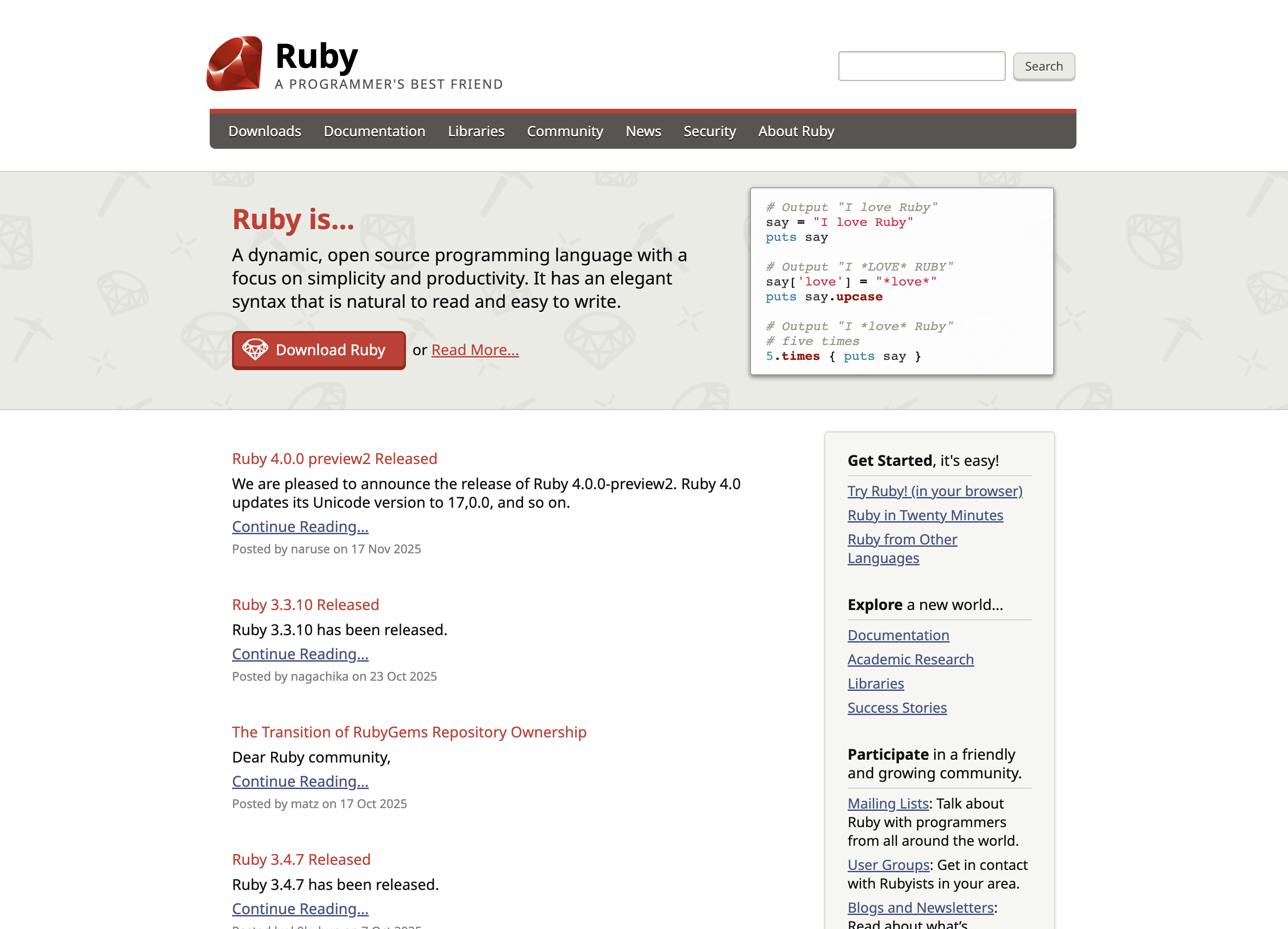 ## Logo
[The Ruby logo][logo] is Copyright © 2006, Yukihiro Matsumoto.
## Reporting Problems ##
To report a problem use the [issue tracker][github-issues]
or contact our [webmaster][webmaster] (in English).
## How to Contribute ##
This website is proudly maintained by members of the Ruby community.
If you wish to contribute, read the [contribution instructions][github-wiki]
and just start opening issues or pull requests!
## Acknowledgments ##
We thank all committers, authors, translators, and other contributors
to this website.
Also many thanks to the organizations that support us:
## Logo
[The Ruby logo][logo] is Copyright © 2006, Yukihiro Matsumoto.
## Reporting Problems ##
To report a problem use the [issue tracker][github-issues]
or contact our [webmaster][webmaster] (in English).
## How to Contribute ##
This website is proudly maintained by members of the Ruby community.
If you wish to contribute, read the [contribution instructions][github-wiki]
and just start opening issues or pull requests!
## Acknowledgments ##
We thank all committers, authors, translators, and other contributors
to this website.
Also many thanks to the organizations that support us: